随着数字音乐市场的蓬勃发展,音乐创作者与消费者之间的直接交易需求日益凸显。传统实体唱片销售模式存在渠道单一、物流成本高、库存压力大等问题,而数字音乐平台往往侧重于流媒体订阅,对单曲或专辑的直接销售支持不足。一个专门为数字音乐商品交易设计的在线销售平台,能够有效连接音乐供给方与消费方,简化交易流程,保障版权收益。
本项目构建了一个基于SSM(Spring + Spring MVC + MyBatis)框架的在线音乐商店,命名为“HarmonyMart”。该系统为独立音乐人、唱片公司提供了一个专业的数字专辑上架、推广和销售渠道,同时为音乐爱好者打造了一个便捷的浏览、试听和购买环境。其核心价值在于实现了音乐数字商品的闭环交易,从商品展示、购物车管理、订单生成到版权追踪,形成了一套完整的垂直领域电商解决方案。
在技术架构上,系统采用经典的三层架构模式。Spring Framework作为核心控制层,管理所有业务组件的生命周期和依赖关系,并通过声明式事务管理确保购买流程等核心业务的数据一致性。Spring MVC负责Web请求的分发和处理,通过清晰的控制器设计路由用户操作。数据持久化层由MyBatis实现,利用其灵活的SQL映射能力高效操作MySQL数据库。前端采用JSP结合JSTL标签库进行页面渲染,辅以jQuery处理动态交互,形成了技术栈稳定、职责分明的系统架构。
数据库架构设计与核心表分析
系统共设计13张数据表,支撑用户管理、商品展示、订单处理等核心业务。以下是几个关键表的结构分析,体现了业务逻辑与数据完整性的深度结合。
1. 用户表(user):分层权限与安全存储
用户表的设计不仅承载基础身份信息,更通过角色字段实现平台的双重用户体系(普通用户与管理员)。
CREATE TABLE `user` (
  `id` int(11) NOT NULL AUTO_INCREMENT,
  `username` varchar(255) DEFAULT NULL,
  `password` varchar(255) DEFAULT NULL,
  `name` varchar(255) DEFAULT NULL,
  `telephone` varchar(255) DEFAULT NULL,
  `birthday` varchar(255) DEFAULT NULL,
  `sex` varchar(255) DEFAULT NULL,
  `status` int(11) DEFAULT NULL,
  `role` int(11) DEFAULT NULL,
  `image` varchar(255) DEFAULT NULL,
  `register_time` datetime DEFAULT NULL,
  PRIMARY KEY (`id`)
) ENGINE=InnoDB DEFAULT CHARSET=utf8;
设计亮点分析:
- 角色与状态分离控制:
role字段(如0-管理员,1-普通用户)与status字段(如0-正常,1-禁用)解耦,允许管理员灵活调整用户权限和账户状态,互不影响。 - 密码安全存储:
password字段预留了足够的长度(255位),为采用BCrypt等强哈希算法加密存储密码提供了空间,确保即使数据库泄露也无法直接获取明文密码。 - 扩展性考虑:
image字段用于存储用户头像路径,register_time记录注册时间,为后续的用户行为分析和个性化推荐提供了数据基础。
2. 商品表(product):音乐专辑的数字化建模
商品表精确地描述了数字音乐专辑的属性,区别于实体商品,无需库存字段,但强化了数字内容相关的信息。
CREATE TABLE `product` (
  `id` int(11) NOT NULL AUTO_INCREMENT,
  `name` varchar(255) DEFAULT NULL,
  `price` double DEFAULT NULL,
  `introduce` longtext,
  `stock` int(11) DEFAULT NULL,
  `image` varchar(255) DEFAULT NULL,
  `category_level1_id` int(11) DEFAULT NULL,
  `category_level2_id` int(11) DEFAULT NULL,
  `is_delete` int(11) DEFAULT NULL,
  `create_time` datetime DEFAULT NULL,
  `update_time` datetime DEFAULT NULL,
  `is_hot` int(11) DEFAULT NULL,
  `count` int(11) DEFAULT NULL,
  PRIMARY KEY (`id`)
) ENGINE=InnoDB DEFAULT CHARSET=utf8;
设计亮点分析:
- 逻辑删除机制:
is_delete字段(0-未删除,1-已删除)实现了数据的逻辑删除。当商品下架时,并非物理删除记录,而是标记为删除。这确保了历史订单中的商品信息依然可查,保证了数据关联的完整性。 - 多级分类关联:通过
category_level1_id和category_level2_id关联分类表,支持如“流行 -> 华语流行”或“摇滚 -> 独立摇滚”等多层级分类导航,增强了商品的可发现性。 - 热门标识与销售计数:
is_hot字段用于标记热门专辑,便于前台促销展示。count字段可记录销量或浏览量,为“热销榜”、“趋势榜”等运营功能提供数据支持。
3. 订单主表(order):交易核心的完整性保障
订单表是电商系统的核心,其设计直接关系到财务准确性和交易安全。
CREATE TABLE `order` (
  `id` int(11) NOT NULL AUTO_INCREMENT,
  `user_id` int(11) DEFAULT NULL,
  `login_name` varchar(255) DEFAULT NULL,
  `user_address` varchar(255) DEFAULT NULL,
  `cost` double DEFAULT NULL,
  `serial_number` varchar(255) DEFAULT NULL,
  `create_time` datetime DEFAULT NULL,
  `update_time` datetime DEFAULT NULL,
  `status` int(11) DEFAULT NULL,
  PRIMARY KEY (`id`)
) ENGINE=InnoDB DEFAULT CHARSET=utf8;
设计亮点分析:
- 关键信息冗余存储:除了
user_id,还存储了login_name和user_address。这种反范式设计避免了因用户后续修改个人信息而导致历史订单信息显示错误的问题,保证了订单作为交易凭证的不可变性。 - 独立的序列号:
serial_number字段用于生成唯一的订单号,通常由“时间戳+随机数”等方式生成,便于线下沟通、售后查询,且不暴露系统内部自增ID。 - 灵活的订单状态流:
status字段定义了订单的生命周期(如0-待支付、1-已支付、2-已发货/已提供下载、3-已完成、4-已取消),支撑完整的订单状态跟踪和管理。
核心功能实现与技术解析
1. 用户认证与会话管理
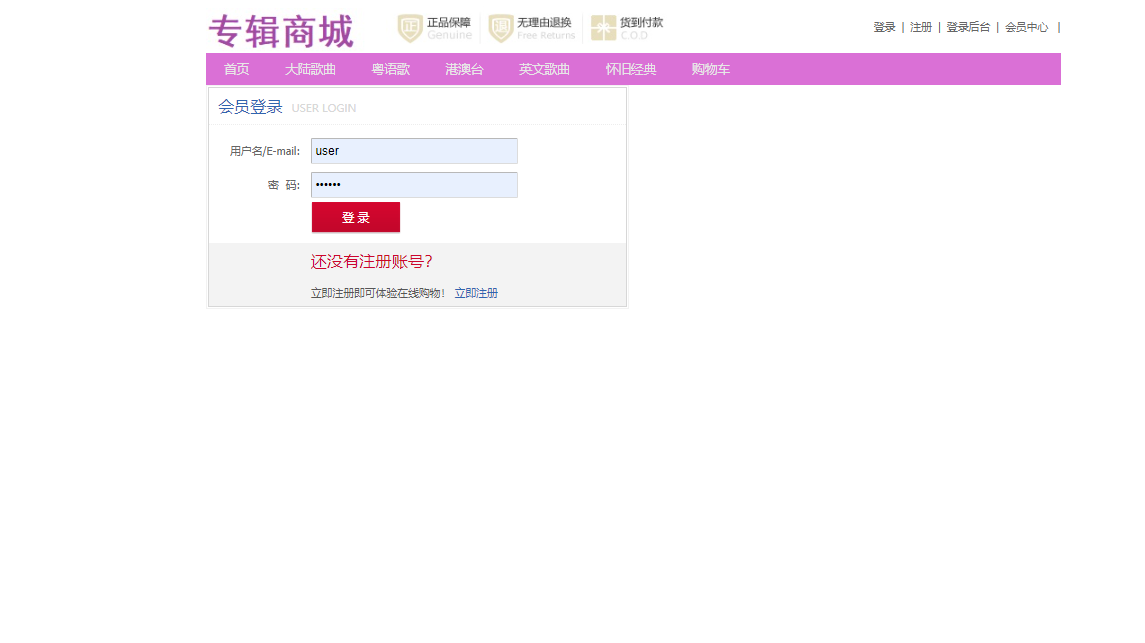
用户登录是系统入口,采用Spring MVC拦截器实现统一的访问控制。
登录界面
核心代码:登录控制器(
UserController)@Controller @RequestMapping("/user") public class UserController { @Autowired private UserService userService; @RequestMapping("/login") public String login(@RequestParam("username") String username, @RequestParam("password") String password, HttpSession session, Model model) { User user = userService.login(username, password); if (user != null) { if (user.getStatus() == 1) { model.addAttribute("errorMsg", "该账户已被禁用,请联系管理员"); return "login"; } // 登录成功,将用户信息存入Session session.setAttribute("currentUser", user); // 根据角色跳转到不同首页 if (user.getRole() == 0) { return "redirect:/admin/main"; } else { return "redirect:/product/list"; } } else { model.addAttribute("errorMsg", "用户名或密码错误"); return "login"; } } }技术解析:控制器接收用户名和密码,调用Service层进行验证。Service层内部会进行密码的比对(如使用BCryptPasswordEncoder的
matches方法)。验证成功后,查询用户状态是否正常,并将完整的用户对象存入HttpSession中,作为用户已登录的凭证。最后根据用户角色(role)重定向到不同的主页面。核心代码:认证拦截器(
AuthInterceptor)public class AuthInterceptor implements HandlerInterceptor { @Override public boolean preHandle(HttpServletRequest request, HttpServletResponse response, Object handler) throws Exception { HttpSession session = request.getSession(); User currentUser = (User) session.getAttribute("currentUser"); // 获取请求的URI String uri = request.getRequestURI(); // 定义不需要拦截的路径(如登录、注册、静态资源) if (uri.contains("/login") || uri.contains("/register") || uri.contains("/css/") || uri.contains("/js/") || uri.contains("/images/")) { return true; } // 管理员路径拦截 if (uri.contains("/admin")) { if (currentUser != null && currentUser.getRole() == 0) { return true; // 是管理员,放行 } else { response.sendRedirect(request.getContextPath() + "/user/login"); return false; } } // 普通用户路径拦截 if (currentUser == null) { response.sendRedirect(request.getContextPath() + "/user/login"); return false; } return true; } }技术解析:该拦截器在所有控制器方法执行前工作。它检查Session中是否存在用户信息。对于访问
/admin路径的请求,额外校验用户角色是否为管理员(role == 0)。如果校验失败,则重定向到登录页面。通过在Spring MVC配置中注册此拦截器,实现了全局的、基于URL的访问控制。
2. 商品浏览与购物车管理
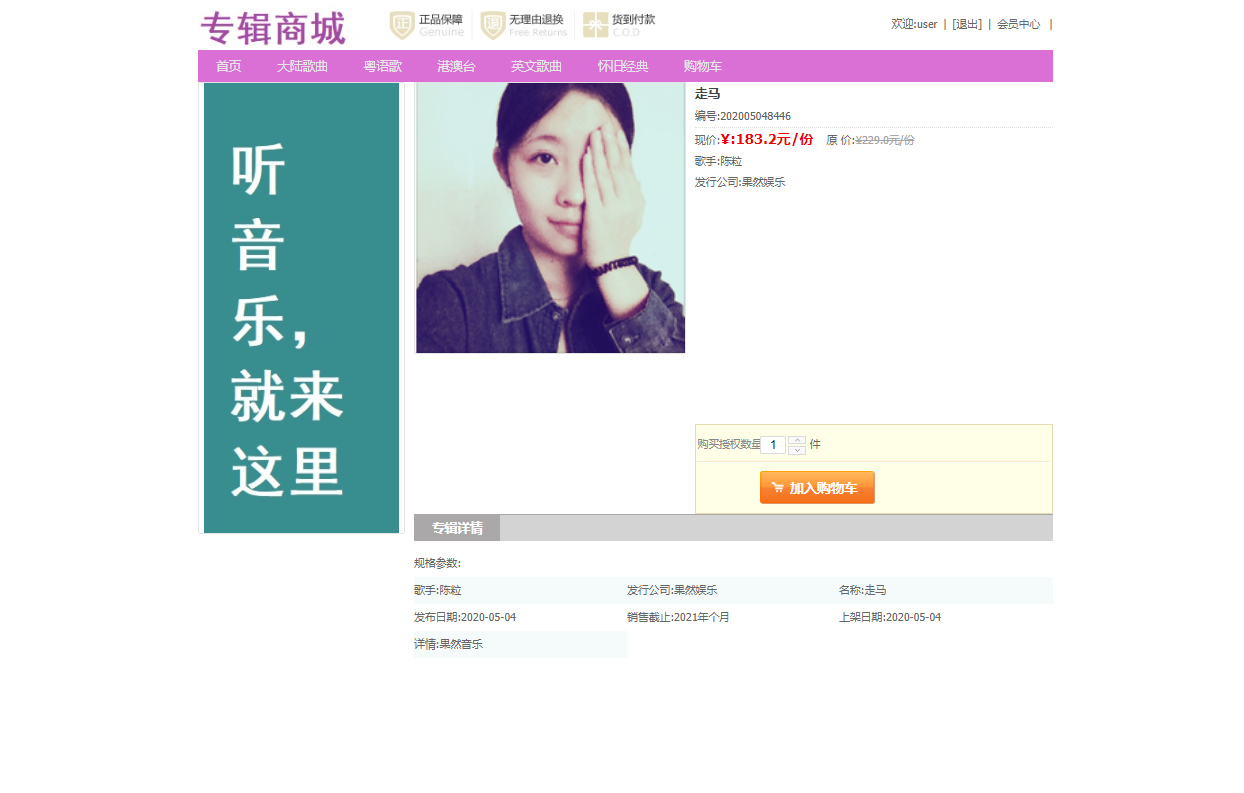
商品展示和购物车是提升用户体验和转化率的关键环节。
商品详情页
核心代码:购物车项实体(
CartItem)public class CartItem { private Product product; // 商品信息 private Integer quantity; // 购买数量 private Double cost; // 小计金额 public Double getCost() { if (product != null && product.getPrice() != null && quantity != null) { return product.getPrice() * quantity; } return 0.0; } // 省略getter和setter }核心代码:购物车控制器(
CartController)@Controller @RequestMapping("/cart") public class CartController { @RequestMapping("/add") @ResponseBody public Map<String, Object> add(Integer productId, Integer quantity, HttpSession session) { Map<String, Object> result = new HashMap<>(); try { User currentUser = (User) session.getAttribute("currentUser"); if (currentUser == null) { result.put("success", false); result.put("message", "请先登录"); return result; } // 从Session中获取购物车,如果没有则创建 Map<Integer, CartItem> cart = (Map<Integer, CartItem>) session.getAttribute("cart"); if (cart == null) { cart = new HashMap<>(); session.setAttribute("cart", cart); } // 查询商品信息 Product product = productService.findById(productId); if (product == null) { result.put("success", false); result.put("message", "商品不存在"); return result; } // 判断购物车中是否已有该商品 CartItem cartItem = cart.get(productId); if (cartItem != null) { // 数量增加 cartItem.setQuantity(cartItem.getQuantity() + quantity); } else { // 新增购物车项 cartItem = new CartItem(); cartItem.setProduct(product); cartItem.setQuantity(quantity); cart.put(productId, cartItem); } result.put("success", true); result.put("message", "添加成功"); } catch (Exception e) { result.put("success", false); result.put("message", "系统异常"); } return result; } }技术解析:购物车数据存储在用户Session中,以
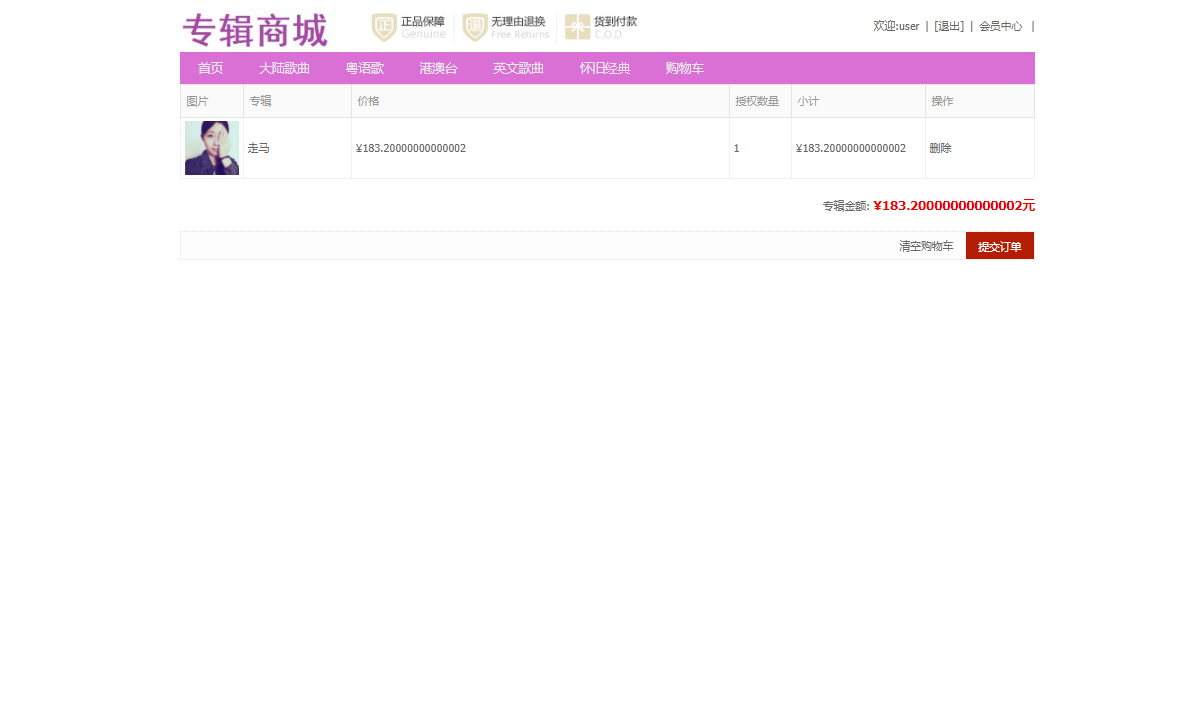
Map<Integer, CartItem>的形式存在,键为商品ID,值为购物车项。这种方式读写速度快,且用户会话结束时数据自动清理。add方法是一个AJAX接口(@ResponseBody),它首先检查用户登录状态,然后操作Session中的购物车Map。这种设计避免了频繁读写数据库,保证了性能。添加购物车操作
3. 订单生成与持久化
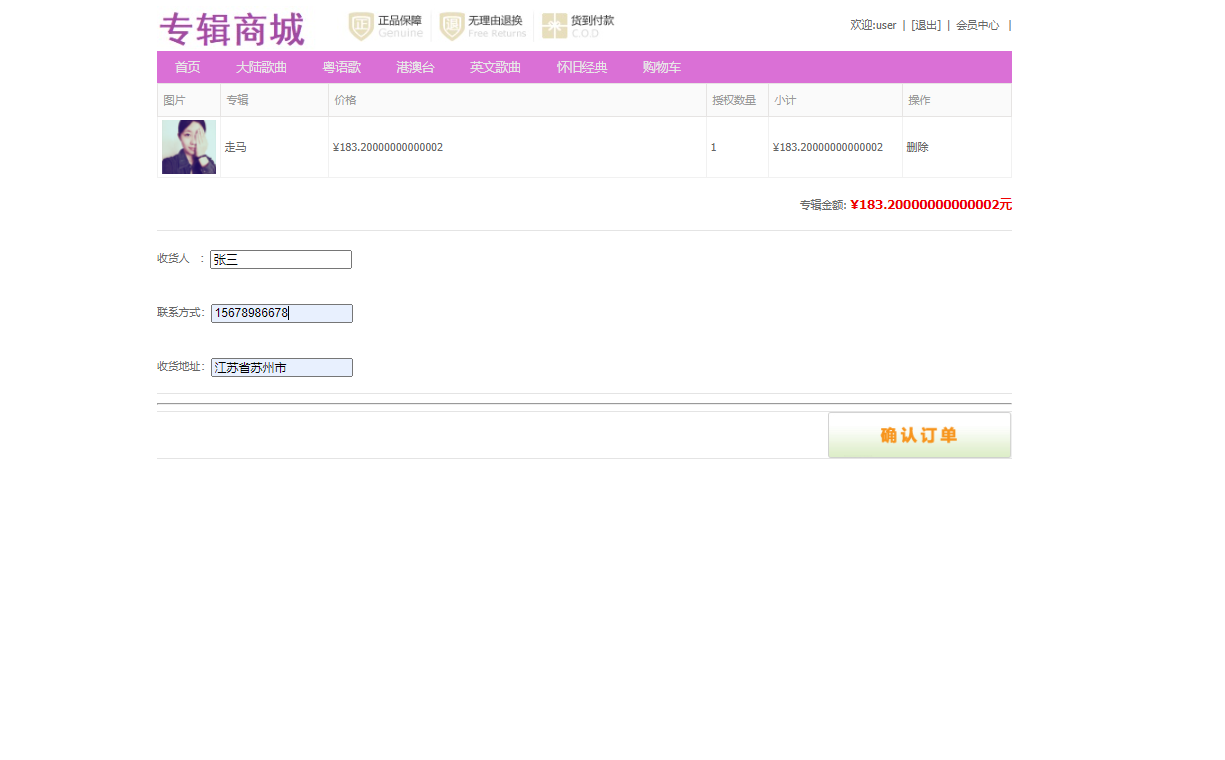
下单流程是电商系统最核心、最复杂的业务,涉及事务控制和多表操作。
提交订单页面
核心代码:订单服务层(
OrderService)@Service @Transactional // 声明式事务管理 public class OrderServiceImpl implements OrderService { @Autowired private OrderMapper orderMapper; @Autowired private OrderDetailMapper orderDetailMapper; @Autowired private ProductMapper productMapper; @Override public boolean add(Order order, Map<Integer, CartItem> cart) { // 1. 生成订单序列号 String serialNumber = "HM" + System.currentTimeMillis() + new Random().nextInt(1000); order.setSerialNumber(serialNumber); order.setCreateTime(new Date()); order.setStatus(0); // 待支付 // 2. 插入订单主表 int orderResult = orderMapper.insert(order); if (orderResult <= 0) { return false; } // 3. 遍历购物车,插入订单明细并更新商品销量 for (CartItem item : cart.values()) { OrderDetail detail = new OrderDetail(); detail.setOrderId(order.getId()); // 获取MyBatis插入后回填的主键ID detail.setProductId(item.getProduct().getId()); detail.setQuantity(item.getQuantity()); detail.setCost(item.getCost()); int detailResult = orderDetailMapper.insert(detail); if (detailResult <= 0) { throw new RuntimeException("插入订单明细失败"); // 触发事务回滚 } // 更新商品销量(假设count字段记录销量) Product product = item.getProduct(); product.setCount(product.getCount() + item.getQuantity()); int updateResult = productMapper.update(product); if (updateResult <= 0) { throw new RuntimeException("更新商品销量失败"); // 触发事务回滚 } } return true; } }技术解析:该方法被
@Transactional注解标记,形成了一个事务。事务的原子性确保了以下操作要么全部成功,要么全部失败:生成订单号并插入主表、循环插入所有订单明细、更新所购商品的销量。如果任何一步失败抛出异常,Spring会自动回滚之前的所有数据库操作,防止产生数据不一致(如生成了空订单或销量更新了但订单没生成)。
4. 后台管理系统:专辑与订单管理
后台管理是平台运营的基石,提供数据管理和业务监控能力。
专辑管理界面
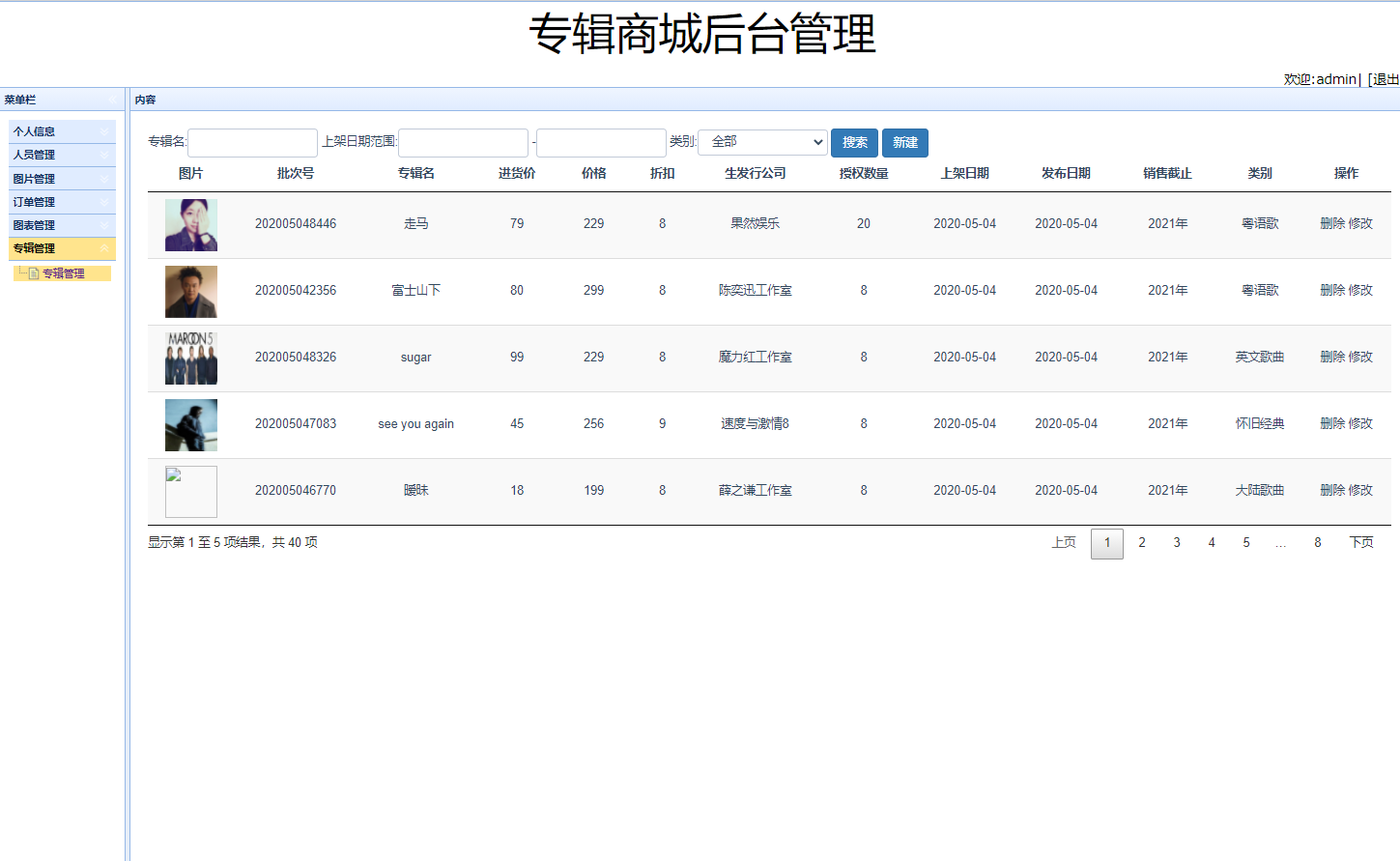
核心代码:商品分页查询Mapper
<!-- ProductMapper.xml --> <select id="findProductList" resultType="com.maancode.harmonymart.pojo.Product"> SELECT p.*, c1.name as categoryLevel1Name, c2.name as categoryLevel2Name FROM product p LEFT JOIN category c1 ON p.category_level1_id = c1.id LEFT JOIN category c2 ON p.category_level2_id = c2.id WHERE p.is_delete = 0 <if test="productName != null and productName != ''"> AND p.name LIKE CONCAT('%', #{productName}, '%') </if> <if test="categoryLevel1Id != null and categoryLevel1Id != -1"> AND p.category_level1_id = #{categoryLevel1Id} </if> ORDER BY p.create_time DESC LIMIT #{startIndex}, #{pageSize} </select> <select id="getProductCount" resultType="java.lang.Integer"> SELECT COUNT(*) FROM product p WHERE p.is_delete = 0 <if test="productName != null and productName != ''"> AND p.name LIKE CONCAT('%', #{productName}, '%') </if> <if test="categoryLevel1Id != null and categoryLevel1Id != -1"> AND p.category_level1_id = #{categoryLevel1Id} </if> </select>技术解析:MyBatis的动态SQL(
<if>标签)根据传入的查询条件(商品名、一级分类ID)动态组装WHERE子句,实现了灵活的条件查询。通过LIMIT #{startIndex}, #{pageSize}实现数据库层面的分页,高效处理大量数据。关联查询分类表获取分类名称,避免了在Java代码中进行N+1次查询,提升了性能。订单管理界面
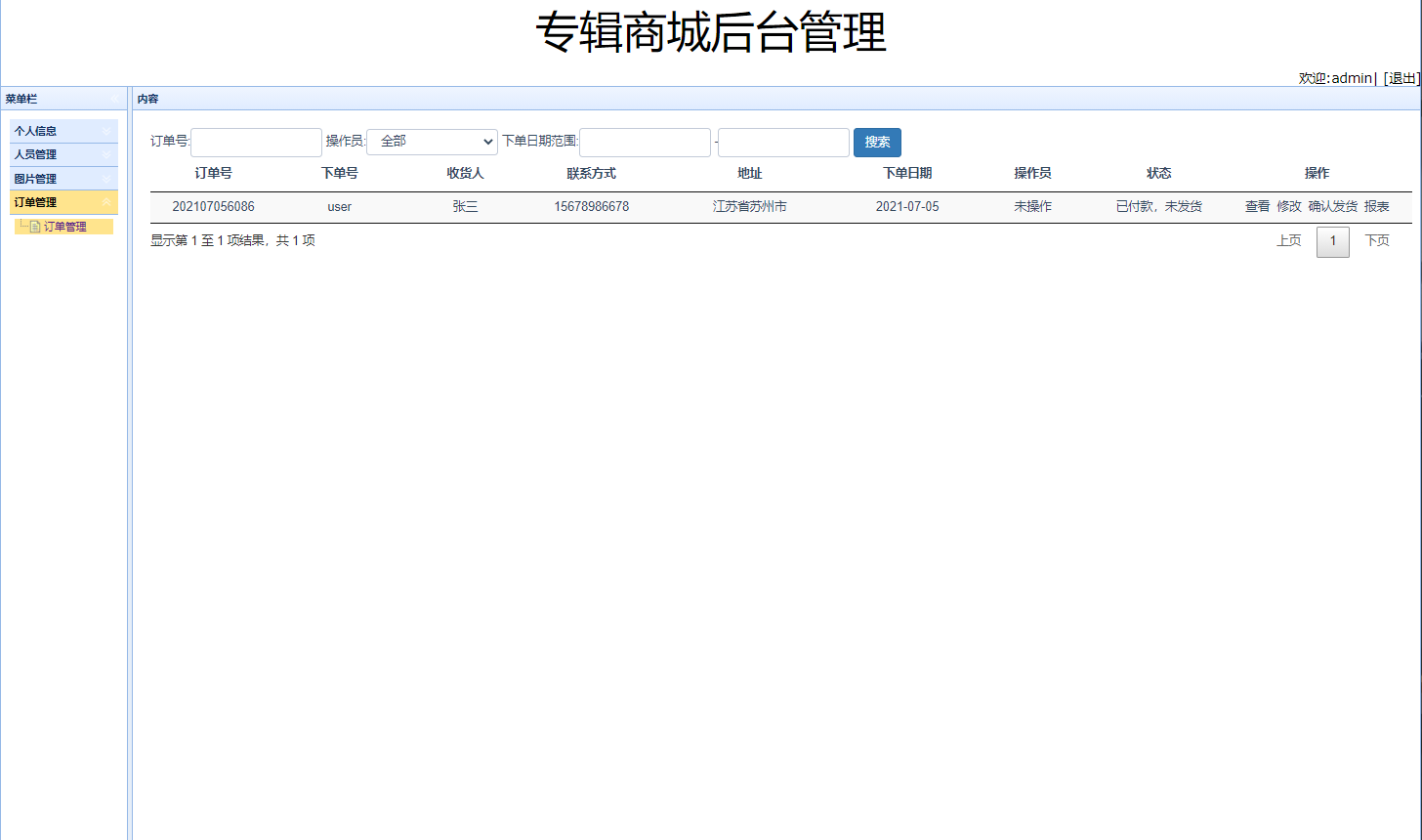
实体模型与业务逻辑封装
系统通过POJO(Plain Old Java Object)实体类精确映射数据库表结构,并封装了核心业务逻辑。
- 订单主实体(
Order)与明细实体(OrderDetail)的关系模型public class Order { private Integer id; private Integer userId; private String loginName; private String userAddress; private Double cost; // 订单总金额 private String serialNumber; private Date createTime; private Date updateTime; private Integer status; // 一对多关系:一个订单包含多个明细项 private List<Order