随着汽车行业的数字化转型加速,传统线下交易模式面临信息不对称、看车成本高、跨区域交易流程繁琐等痛点。为解决这些问题,我们开发了一套企业级汽车电商平台,采用成熟的SSH(Struts2 + Spring + Hibernate)集成框架,为汽车经销商和个人买家提供集车辆展示、信息查询、在线沟通与交易服务于一体的综合性数字销售渠道。
系统架构与技术栈
该平台采用经典的三层架构设计,前端使用JSP与jQuery构建响应式用户界面,确保跨浏览器兼容性和良好的用户体验。控制层基于Struts2框架实现MVC模式,通过精心设计的Action类处理用户请求和路由分发。业务逻辑层由Spring框架统一管理,利用其IoC容器实现服务组件的依赖注入与声明式事务管理。数据持久化层采用Hibernate ORM框架,将Java对象与数据库表进行映射,简化数据操作并提高开发效率。
技术栈配置如下:
<!-- Spring核心配置 -->
<bean id="dataSource" class="org.apache.commons.dbcp.BasicDataSource">
    <property name="driverClassName" value="com.mysql.jdbc.Driver"/>
    <property name="url" value="jdbc:mysql://localhost:3306/auto_mall"/>
    <property name="username" value="root"/>
    <property name="password" value="123456"/>
</bean>

<!-- Hibernate会话工厂 -->
<bean id="sessionFactory"
      class="org.springframework.orm.hibernate3.LocalSessionFactoryBean">
    <property name="dataSource" ref="dataSource"/>
    <property name="mappingResources">
        <list>
            <value>com/auto/mall/model/User.hbm.xml</value>
            <value>com/auto/mall/model/Product.hbm.xml</value>
            <value>com/auto/mall/model/Order.hbm.xml</value>
        </list>
    </property>
</bean>
数据库设计亮点
用户表设计优化
t_users表采用规范化设计,包含15个字段全面覆盖用户信息管理需求:
CREATE TABLE `t_users` (
  `uid` int(11) NOT NULL AUTO_INCREMENT COMMENT '用户ID',
  `username` varchar(255) DEFAULT NULL COMMENT '用户名',
  `password` varchar(255) DEFAULT NULL COMMENT '密码',
  `realname` varchar(255) DEFAULT NULL COMMENT '真实姓名',
  `gender` varchar(255) DEFAULT NULL COMMENT '性别',
  `province` varchar(255) DEFAULT NULL COMMENT '省份',
  `regtime` datetime DEFAULT NULL COMMENT '注册时间',
  `upath` varchar(255) DEFAULT NULL COMMENT '用户头像路径',
  `phone` varchar(255) DEFAULT NULL COMMENT '手机号',
  `pcode` varchar(255) DEFAULT NULL COMMENT '手机验证码',
  `email` varchar(255) DEFAULT NULL COMMENT '邮箱',
  `ecode` varchar(255) DEFAULT NULL COMMENT '邮箱验证码',
  `state` int(11) DEFAULT NULL COMMENT '用户状态',
  PRIMARY KEY (`uid`),
  UNIQUE KEY `idx_username` (`username`),
  KEY `idx_phone` (`phone`),
  KEY `idx_email` (`email`)
) ENGINE=InnoDB AUTO_INCREMENT=28 DEFAULT CHARSET=utf8 COLLATE=utf8_unicode_ci
设计亮点包括:
- 安全字段分离:密码字段使用varchar(255)存储加密后的散列值
- 双验证机制:手机和邮箱验证码独立存储,支持多种验证方式
- 索引优化:为用户名、手机号、邮箱建立唯一索引,提升查询效率
- 状态管理:state字段支持用户账户的激活、禁用等状态控制
订单表业务逻辑封装
t_orders表的设计体现了电商业务的复杂性:
CREATE TABLE `t_orders` (
  `oid` int(11) NOT NULL AUTO_INCREMENT COMMENT '订单ID',
  `total` double DEFAULT NULL COMMENT '订单总金额',
  `count` int(11) DEFAULT NULL COMMENT '商品总数',
  `state` int(11) DEFAULT NULL COMMENT '订单状态',
  `odate` datetime DEFAULT NULL COMMENT '订单日期',
  `number` varchar(255) DEFAULT NULL COMMENT '订单编号',
  `uid` int(11) DEFAULT NULL COMMENT '用户ID',
  `paytotal` double DEFAULT NULL COMMENT '实付金额',
  `addr` varchar(255) DEFAULT NULL COMMENT '收货地址',
  `receiver` varchar(255) DEFAULT NULL COMMENT '收货人',
  `phone` varchar(255) DEFAULT NULL COMMENT '联系电话',
  `flag` int(11) DEFAULT NULL COMMENT '标志',
  `info` varchar(50) DEFAULT NULL COMMENT '订单信息',
  PRIMARY KEY (`oid`),
  KEY `FK7757B510A39B8A9B` (`uid`),
  CONSTRAINT `FK7757B510A39B8A9B` FOREIGN KEY (`uid`) REFERENCES `t_users` (`uid`)
) ENGINE=InnoDB AUTO_INCREMENT=27 DEFAULT CHARSET=utf8 COLLATE=utf8_unicode_ci
关键设计特征:
- 金额分离:total记录原金额,paytotal记录实际支付金额,支持优惠计算
- 状态机设计:state字段使用整型存储订单生命周期状态
- 订单编号:number字段使用业务规则生成唯一标识,便于追踪
- 收货信息冗余:避免用户修改信息影响历史订单数据完整性
商品展示体系设计
平台通过多表关联实现丰富的商品展示功能:
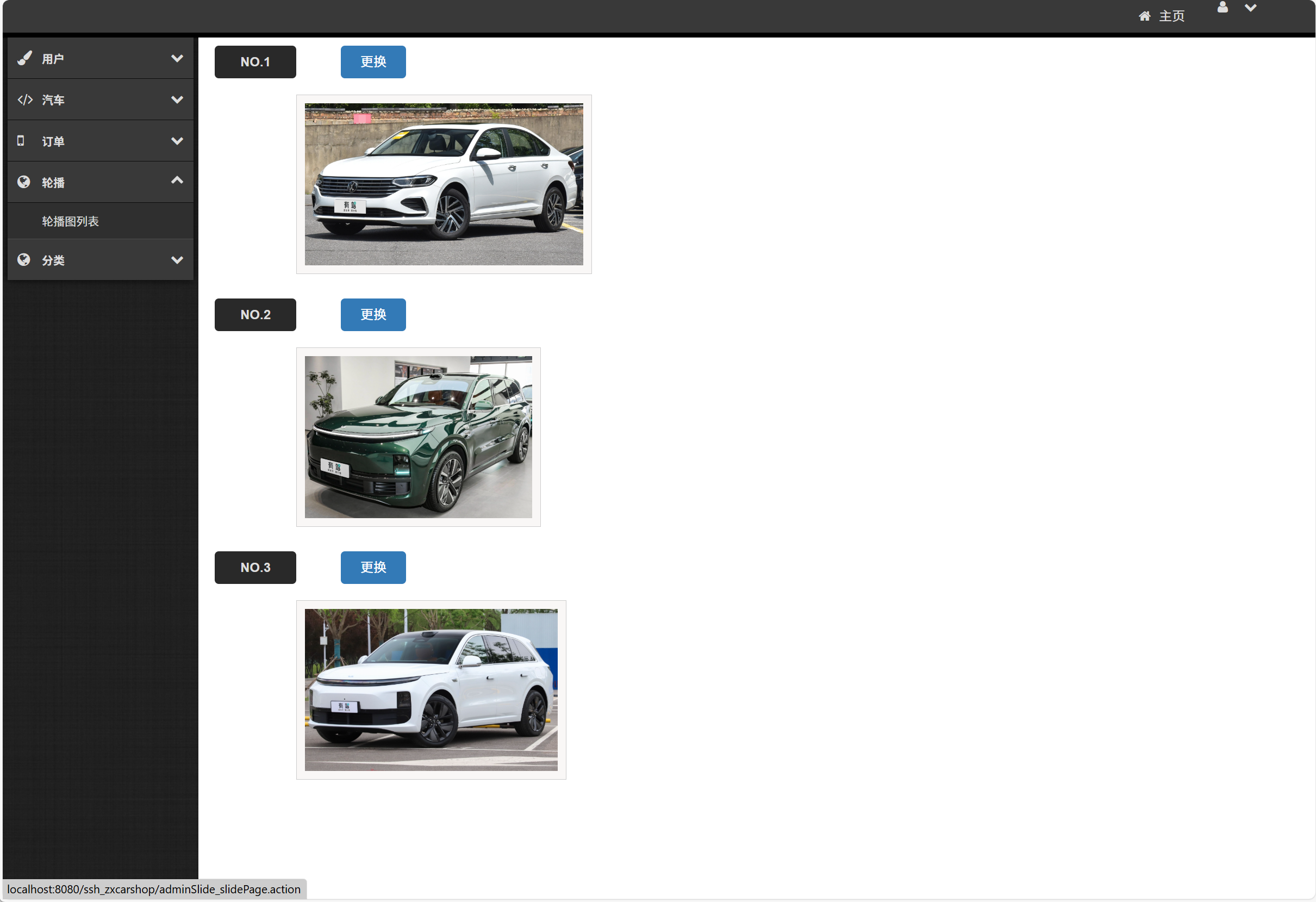
-- 轮播图表
CREATE TABLE `t_slideimgs` (
  `sid` int(11) NOT NULL AUTO_INCREMENT,
  `spath` varchar(255) DEFAULT NULL COMMENT '轮播图路径',
  `pid` int(11) DEFAULT NULL COMMENT '商品ID',
  `flag` int(11) DEFAULT NULL COMMENT '展示标志',
  PRIMARY KEY (`sid`),
  KEY `FKEF725836D0D8C772` (`pid`)
) ENGINE=InnoDB AUTO_INCREMENT=12 DEFAULT CHARSET=utf8

-- 商品详情展示表
CREATE TABLE `t_pshows` (
  `sid` int(11) NOT NULL AUTO_INCREMENT,
  `pspath` varchar(255) DEFAULT NULL COMMENT '展示图片路径',
  `pid` int(11) DEFAULT NULL COMMENT '商品ID',
  PRIMARY KEY (`sid`),
  KEY `FK791C9CD1D0D8C772` (`pid`)
) ENGINE=InnoDB AUTO_INCREMENT=135 DEFAULT CHARSET=utf8
核心功能实现
用户认证与权限管理
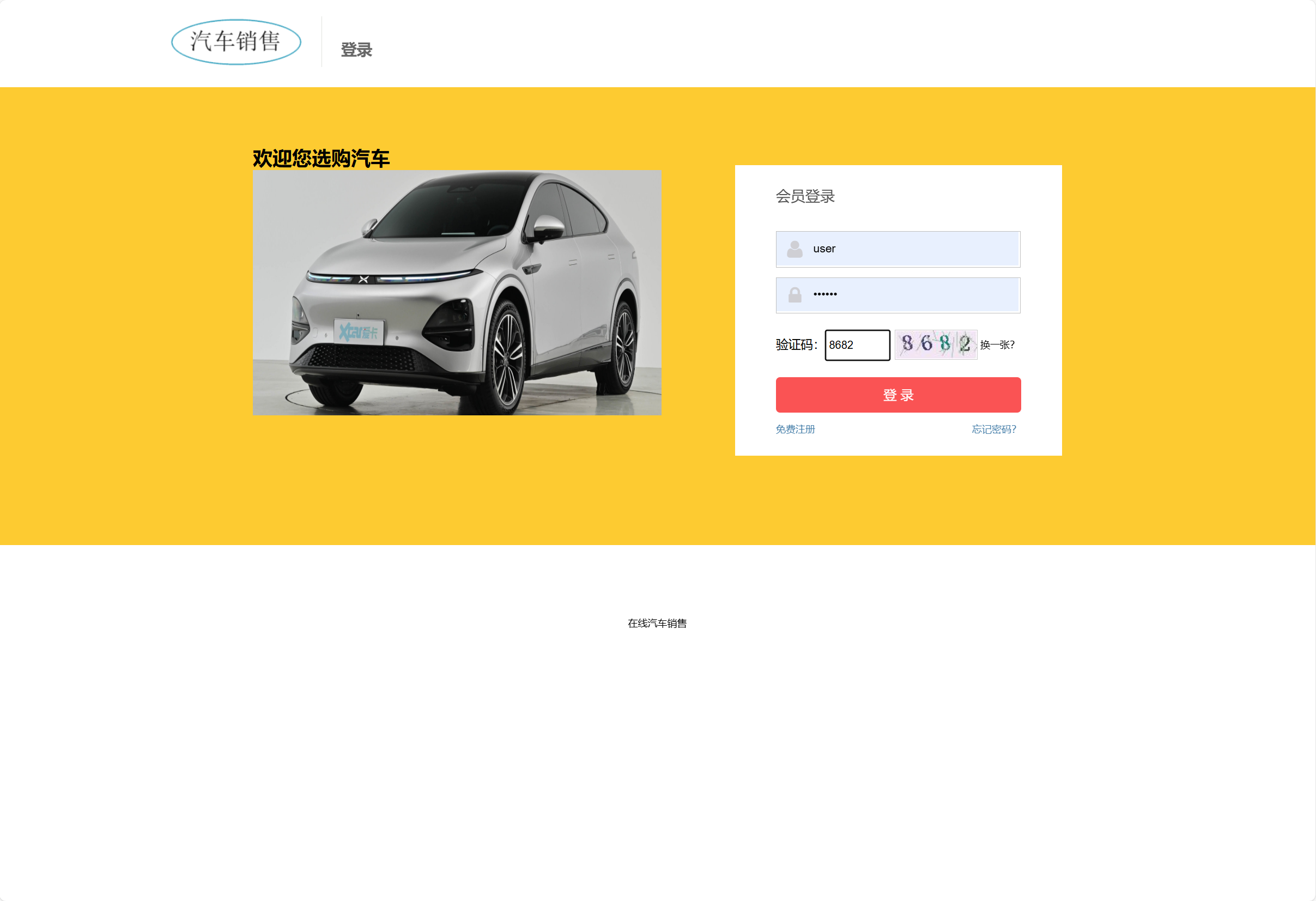
平台实现完整的用户认证体系,支持多种登录方式和权限控制:
// UserAction.java - 用户登录处理
public class UserAction extends ActionSupport {
    private User user;
    private String verifyCode;

    public String login() {
        // 验证码校验
        if (!validateVerifyCode()) {
            addActionError("验证码错误");
            return INPUT;
        }

        // 用户认证
        UserService userService = (UserService) SpringUtil.getBean("userService");
        User loginUser = userService.login(user.getUsername(), user.getPassword());

        if (loginUser != null) {
            // 会话管理
            ActionContext.getContext().getSession().put("currentUser", loginUser);
            return SUCCESS;
        } else {
            addActionError("用户名或密码错误");
            return INPUT;
        }
    }

    // 权限拦截器配置
    public class AuthInterceptor extends AbstractInterceptor {
        @Override
        public String intercept(ActionInvocation invocation) throws Exception {
            Map<String, Object> session = invocation.getInvocationContext().getSession();
            User user = (User) session.get("currentUser");

            if (user == null) {
                return "login"; // 跳转到登录页
            }

            // 角色权限验证
            String actionName = invocation.getProxy().getActionName();
            if (!hasPermission(user, actionName)) {
                return "noPermission";
            }

            return invocation.invoke();
        }
    }
}
商品管理与展示系统
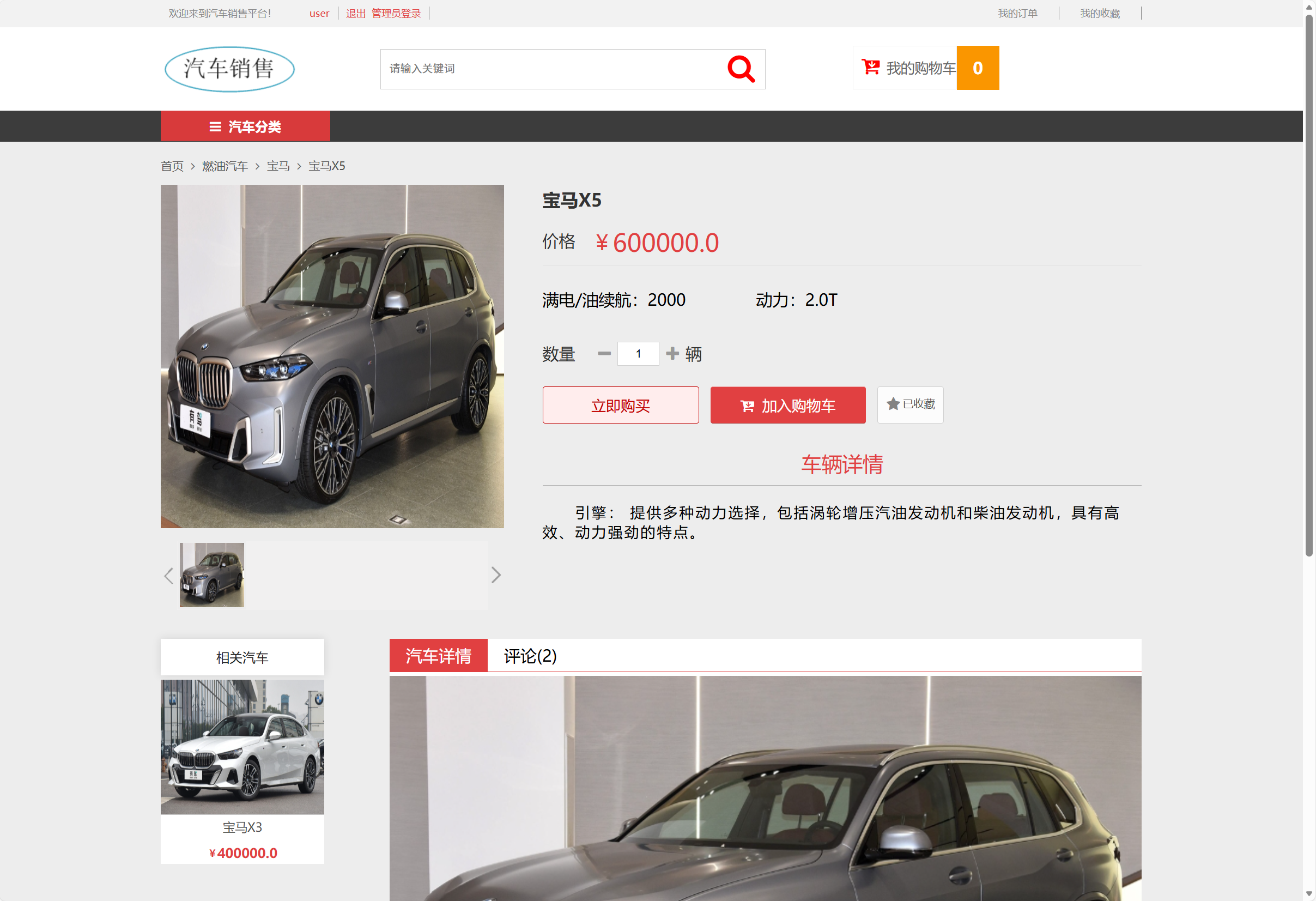
平台提供完整的商品生命周期管理,支持多维度分类和富媒体展示:
// ProductService.java - 商品业务逻辑
@Service
public class ProductService {
    @Autowired
    private ProductDAO productDAO;

    public PageBean<Product> getProductsByCategory(int cid, int page, int size) {
        // 构建查询条件
        DetachedCriteria criteria = DetachedCriteria.forClass(Product.class);
        criteria.add(Restrictions.eq("category.id", cid));
        criteria.add(Restrictions.eq("status", 1)); // 上架状态

        // 分页查询
        int total = productDAO.getCountByCriteria(criteria);
        List<Product> products = productDAO.findByCriteria(criteria, (page-1)*size, size);

        return new PageBean<>(page, size, total, products);
    }

    public Product getProductDetail(int pid) {
        Product product = productDAO.get(pid);
        if (product != null) {
            // 加载关联数据
            Hibernate.initialize(product.getSlideImages());
            Hibernate.initialize(product.getShowImages());
            Hibernate.initialize(product.getParameters());
        }
        return product;
    }
}

// 商品展示JSP页面
<%@ page contentType="text/html;charset=UTF-8" %>
<div class="product-gallery">
    <!-- 轮播图展示 -->
    <div id="carousel" class="carousel slide">
        <div class="carousel-inner">
            <c:forEach items="${product.slideImages}" var="img" varStatus="status">
                <div class="carousel-item ${status.first ? 'active' : ''}">
                    <img src="${ctx}/upload/${img.spath}" class="d-block w-100">
                </div>
            </c:forEach>
        </div>
    </div>

    <!-- 商品参数展示 -->
    <div class="product-specs">
        <h3>车辆参数</h3>
        <table class="table table-bordered">
            <tr><td>品牌</td><td>${product.brand}</td></tr>
            <tr><td>型号</td><td>${product.model}</td></tr>
            <tr><td>价格</td><td>¥<fmt:formatNumber value="${product.price}"/></td></tr>
        </table>
    </div>
</div>
购物车与订单处理
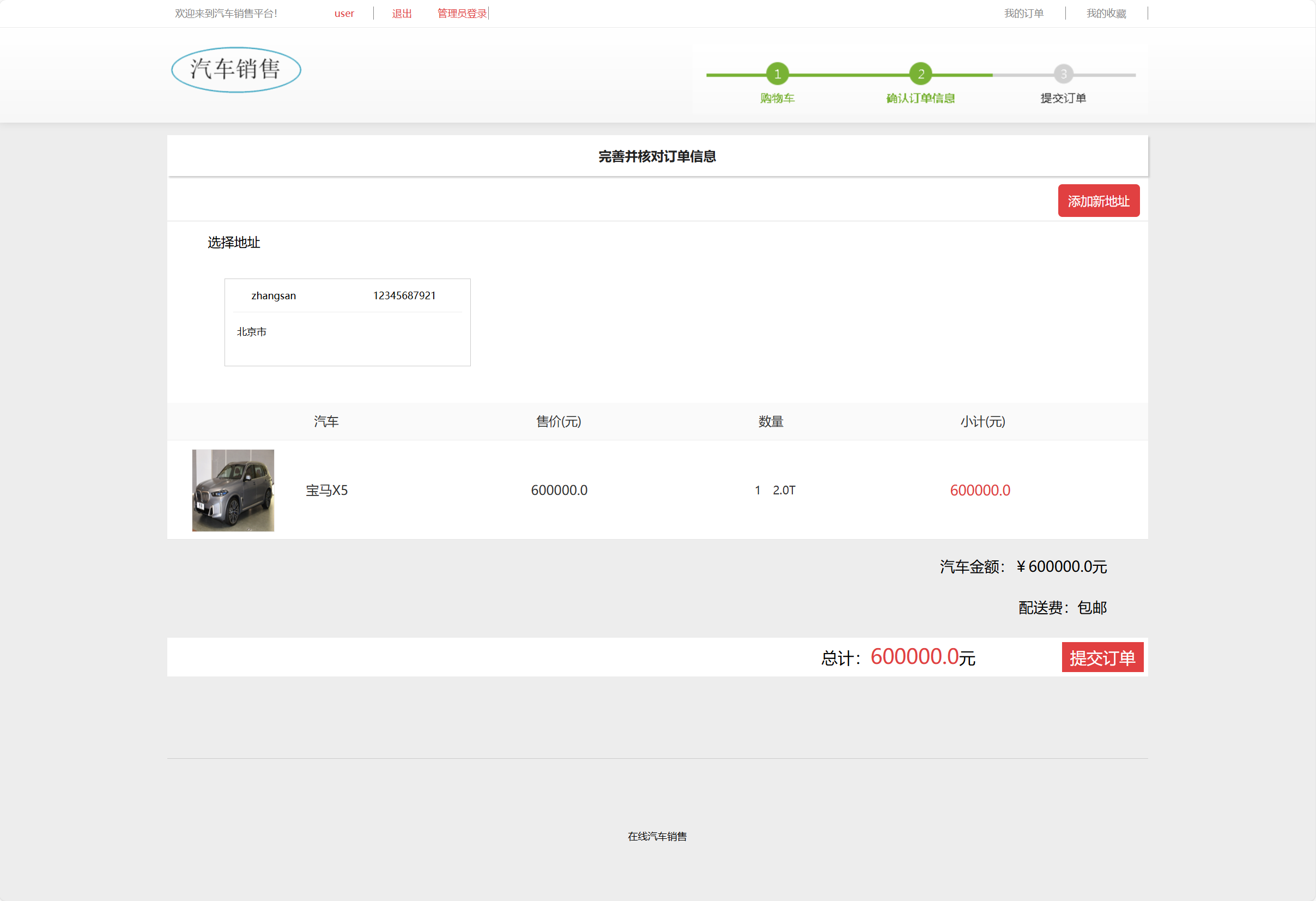
平台实现完整的电商交易流程,支持购物车管理和订单处理:
// CartAction.java - 购物车功能
public class CartAction extends ActionSupport {
    private Map<Integer, CartItem> cart;
    private int pid;
    private int quantity;

    public String addToCart() {
        Product product = productService.getProduct(pid);
        if (product != null) {
            CartItem item = new CartItem(product, quantity);
            getCart().put(pid, item);
        }
        return SUCCESS;
    }

    public String updateCart() {
        CartItem item = cart.get(pid);
        if (item != null) {
            item.setQuantity(quantity);
        }
        return SUCCESS;
    }

    private Map<Integer, CartItem> getCart() {
        if (cart == null) {
            cart = (Map<Integer, CartItem>) ActionContext.getContext()
                    .getSession().get("cart");
            if (cart == null) {
                cart = new HashMap<>();
                ActionContext.getContext().getSession().put("cart", cart);
            }
        }
        return cart;
    }
}

// OrderService.java - 订单业务逻辑
@Service
@Transactional
public class OrderService {
    public Order createOrder(User user, Map<Integer, CartItem> cart,
                           String address, String receiver, String phone) {
        Order order = new Order();
        order.setUser(user);
        order.setOdate(new Date());
        order.setNumber(generateOrderNumber());
        order.setAddr(address);
        order.setReceiver(receiver);
        order.setPhone(phone);

        double total = 0;
        int count = 0;

        for (CartItem item : cart.values()) {
            OrderItem orderItem = new OrderItem();
            orderItem.setProduct(item.getProduct());
            orderItem.setQuantity(item.getQuantity());
            orderItem.setPrice(item.getProduct().getPrice());
            orderItem.setOrder(order);

            order.getOrderItems().add(orderItem);
            total += item.getSubtotal();
            count += item.getQuantity();
        }

        order.setTotal(total);
        order.setCount(count);
        order.setState(0); // 待支付状态

        orderDAO.save(order);
        return order;
    }
}
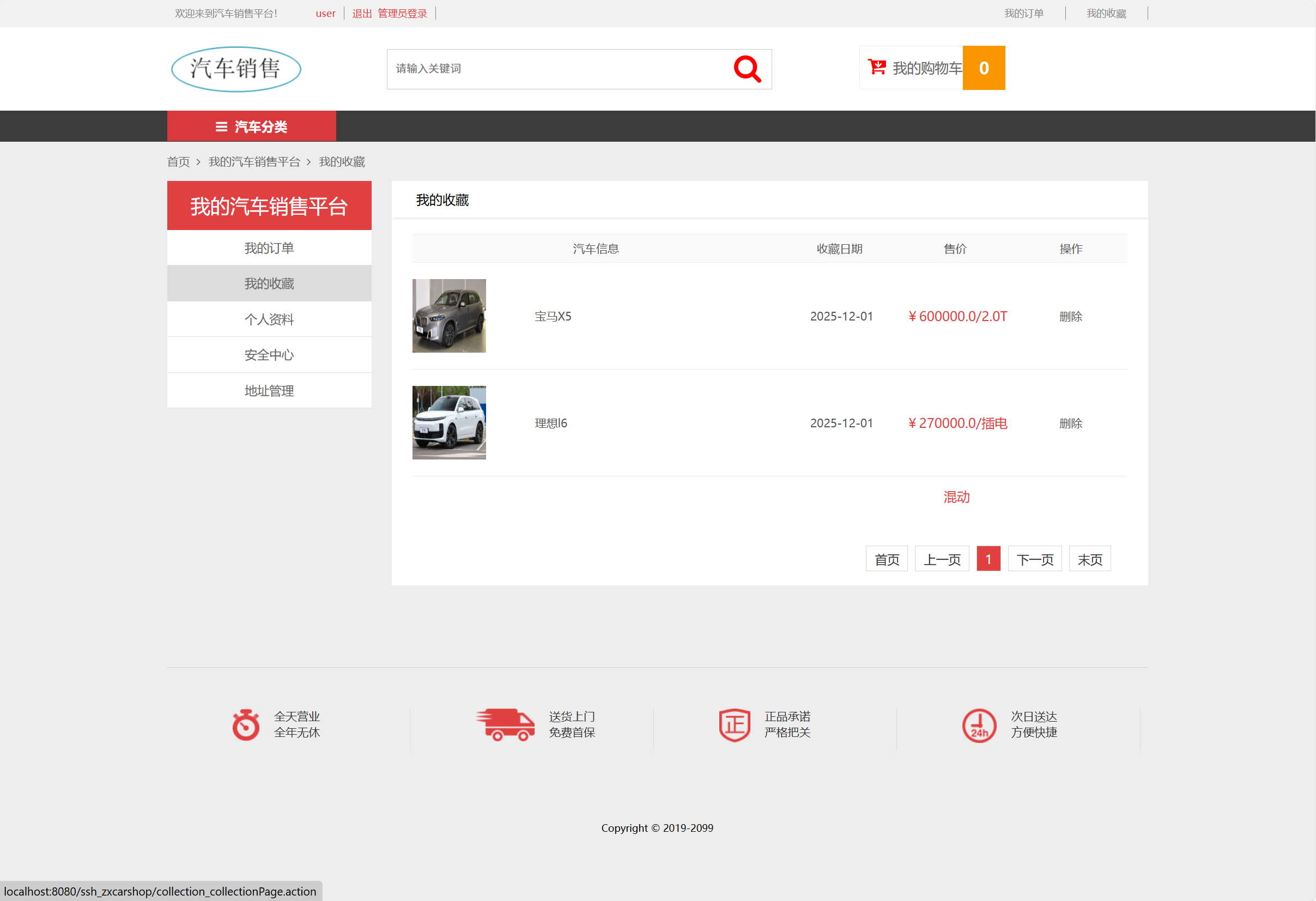
收藏夹功能实现
平台提供个人收藏管理,增强用户粘性:
// CollectionService.java - 收藏功能
@Service
public class CollectionService {
    @Autowired
    private CollectionDAO collectionDAO;

    public void addToCollection(User user, Product product) {
        // 检查是否已收藏
        if (!isCollected(user, product)) {
            Collections collection = new Collections();
            collection.setUser(user);
            collection.setProduct(product);
            collection.setColdate(new Date());
            collectionDAO.save(collection);
        }
    }

    public PageBean<Collections> getUserCollections(int uid, int page, int size) {
        DetachedCriteria criteria = DetachedCriteria.forClass(Collections.class);
        criteria.createAlias("user", "u");
        criteria.add(Restrictions.eq("u.uid", uid));
        criteria.addOrder(Order.desc("coldate"));

        int total = collectionDAO.getCountByCriteria(criteria);
        List<Collections> collections = collectionDAO.findByCriteria(criteria,
            (page-1)*size, size);

        return new PageBean<>(page, size, total, collections);
    }
}
实体模型设计
系统采用面向对象的数据模型设计,通过Hibernate映射实现对象关系管理:
// 用户实体类
@Entity
@Table(name = "t_users")
public class User implements Serializable {
    @Id
    @GeneratedValue(strategy = GenerationType.IDENTITY)
    private Integer uid;

    @Column(nullable = false, unique = true)
    private String username;

    @Column(nullable = false)
    private String password;

    private String realname;
    private String gender;
    private String province;

    @Temporal(TemporalType.TIMESTAMP)
    private Date regtime;

    // 一对多关系映射
    @OneToMany(mappedBy = "user", cascade = CascadeType.ALL)
    private Set<Order> orders = new HashSet<>();

    @OneToMany(mappedBy = "user", cascade = CascadeType.ALL)
    private Set<Collections> collections = new HashSet<>();

    // getter/setter方法
}

// 商品实体类
@Entity
@Table(name = "t_products")
public class Product implements Serializable {
    @Id
    @GeneratedValue(strategy = GenerationType.IDENTITY)
    private Integer pid;

    private String pname;
    private Double price;
    private String brand;
    private String model;
    private Integer stock;
    private Integer status;

    // 多对一关系
    @ManyToOne
    @JoinColumn(name = "cid")
    private Category category;

    // 一对多关系
    @OneToMany(mappedBy = "product", cascade = CascadeType.ALL)
    private Set<SlideImage> slideImages = new HashSet<>();

    @OneToMany(mappedBy = "product", cascade = CascadeType.ALL)
    private Set<ProductShow> showImages = new HashSet<>();
}
功能展望与优化
1. 缓存性能优化
引入Redis作为二级缓存,提升系统响应速度:
// Redis缓存配置示例
@Configuration
@EnableCaching
public class RedisConfig extends CachingConfigurerSupport {
    @Bean
    public RedisTemplate<String, Object> redisTemplate(RedisConnectionFactory factory) {
        RedisTemplate<String, Object> template = new RedisTemplate<>();
        template.setConnectionFactory(factory);
        template.setKeySerializer(new StringRedisSerializer());
        template.setValueSerializer(new GenericJackson2JsonRedisSerializer());
        return template;
    }
}

@Service
public class ProductServiceWithCache {
    @Cacheable(value = "products", key = "#pid")
    public Product getProductWithCache(int pid) {
        return productDAO.get(pid);
    }

    @CacheEvict(value = "products", key = "#product.pid")
    public void updateProduct(Product product) {
        productDAO.update(product);
    }
}
2. 微服务架构改造
将单体应用拆分为微服务架构:
- 用户服务:处理认证、权限、个人信息
- 商品服务:管理商品目录、库存、展示
- 订单服务:处理交易、支付、物流
- 搜索服务:提供商品搜索和推荐功能
3. 移动端适配升级
开发响应式前端或原生移动应用:
// 移动端商品展示组件
const MobileProductView = {
    data() {
        return {
            product: {},
            currentImage: 0
        }
    },
    methods: {
        swipeHandler(direction) {
            if (direction === 'left') {
                this.nextImage();
            } else {
                this.prevImage();
            }
        },
        async loadProductDetail(pid) {
            const response = await fetch(`/api/products/${pid}`);
            this.product = await response.json();
        }
    }
}
4. 智能推荐系统
基于用户行为数据实现个性化推荐:
# 推荐算法示例(可集成到Java系统)
def recommend_products(user_id, top_n=10):
    # 协同过滤算法
    user_behavior = get_user_behavior(user_id)