在现代数字化工作环境中,文件存储与管理已成为个人和团队日常运作的核心需求。传统本地存储方案存在数据孤岛、访问不便和协作效率低下的痛点,而公共云存储服务则可能涉及数据隐私和定制化限制。针对这一市场需求,基于SpringBoot的在线文件存储管理系统应运而生,为企业级用户提供安全可控的私有云存储解决方案。
该系统采用分层架构设计,前端基于HTML5、CSS3和JavaScript构建响应式用户界面,后端以SpringBoot为核心框架,集成Spring Security安全框架和Spring Data JPA持久层技术。数据库选用MySQL 8.0,通过实体关系映射实现高效的数据管理。系统支持多租户架构,可为不同组织提供独立的文件存储空间。
数据库架构设计
系统数据库设计遵循第三范式,包含用户管理、文件存储、权限控制等核心模块。其中三个关键表的设计体现了系统的技术深度:
用户表(user)采用多因素认证设计:
CREATE TABLE `user` (
  `id` bigint(20) NOT NULL AUTO_INCREMENT,
  `username` varchar(50) NOT NULL UNIQUE,
  `password` varchar(255) NOT NULL,
  `email` varchar(100) NOT NULL UNIQUE,
  `phone` varchar(20) DEFAULT NULL,
  `real_name` varchar(50) DEFAULT NULL,
  `avatar` varchar(255) DEFAULT NULL,
  `storage_quota` bigint(20) DEFAULT 1073741824,
  `used_storage` bigint(20) DEFAULT 0,
  `status` tinyint(1) DEFAULT 1,
  `last_login_time` datetime DEFAULT NULL,
  `login_fail_count` int(11) DEFAULT 0,
  `create_time` datetime DEFAULT CURRENT_TIMESTAMP,
  `update_time` datetime DEFAULT CURRENT_TIMESTAMP ON UPDATE CURRENT_TIMESTAMP,
  PRIMARY KEY (`id`),
  KEY `idx_username` (`username`),
  KEY `idx_email` (`email`),
  KEY `idx_status` (`status`)
) ENGINE=InnoDB DEFAULT CHARSET=utf8mb4;
该表设计亮点在于存储配额管理和安全控制机制。storage_quota字段支持动态存储空间分配,used_storage实时跟踪用户存储使用情况,login_fail_count实现账户安全锁定策略。
文件表(file)实现元数据与内容分离存储:
CREATE TABLE `file` (
  `id` bigint(20) NOT NULL AUTO_INCREMENT,
  `file_name` varchar(255) NOT NULL,
  `file_size` bigint(20) NOT NULL,
  `file_md5` varchar(32) NOT NULL,
  `mime_type` varchar(100) NOT NULL,
  `storage_path` varchar(500) NOT NULL,
  `upload_user_id` bigint(20) NOT NULL,
  `parent_id` bigint(20) DEFAULT 0,
  `is_directory` tinyint(1) DEFAULT 0,
  `share_token` varchar(32) DEFAULT NULL,
  `download_count` int(11) DEFAULT 0,
  `status` tinyint(1) DEFAULT 1,
  `create_time` datetime DEFAULT CURRENT_TIMESTAMP,
  `update_time` datetime DEFAULT CURRENT_TIMESTAMP ON UPDATE CURRENT_TIMESTAMP,
  PRIMARY KEY (`id`),
  KEY `idx_user_id` (`upload_user_id`),
  KEY `idx_parent_id` (`parent_id`),
  KEY `idx_md5` (`file_md5`),
  KEY `idx_share_token` (`share_token`),
  FOREIGN KEY (`upload_user_id`) REFERENCES `user` (`id`)
) ENGINE=InnoDB DEFAULT CHARSET=utf8mb4;
该表通过file_md5字段实现文件去重存储,减少存储空间浪费。parent_id和is_directory支持文件夹层级结构,share_token提供安全分享机制。
权限表(permission)实现细粒度访问控制:
CREATE TABLE `permission` (
  `id` bigint(20) NOT NULL AUTO_INCREMENT,
  `user_id` bigint(20) NOT NULL,
  `file_id` bigint(20) NOT NULL,
  `permission_type` enum('READ','WRITE','DELETE','SHARE') NOT NULL,
  `granted_by` bigint(20) NOT NULL,
  `expire_time` datetime DEFAULT NULL,
  `create_time` datetime DEFAULT CURRENT_TIMESTAMP,
  PRIMARY KEY (`id`),
  UNIQUE KEY `uk_user_file_permission` (`user_id`,`file_id`,`permission_type`),
  FOREIGN KEY (`user_id`) REFERENCES `user` (`id`),
  FOREIGN KEY (`file_id`) REFERENCES `file` (`id`),
  FOREIGN KEY (`granted_by`) REFERENCES `user` (`id`)
) ENGINE=InnoDB DEFAULT CHARSET=utf8mb4;
权限表采用RBAC(基于角色的访问控制)模型,支持权限时效控制和多级授权机制,确保文件访问安全。
核心功能实现
文件分片上传与断点续传
系统采用先进的分片上传技术,支持大文件稳定传输和网络中断恢复。前端通过JavaScript实现文件分片,后端提供统一的上传接口:
@RestController
@RequestMapping("/api/file")
public class FileUploadController {

    @PostMapping("/upload")
    public ResponseEntity<FileUploadResponse> uploadFile(
            @RequestParam("file") MultipartFile file,
            @RequestParam(value = "chunk", required = false) Integer chunk,
            @RequestParam(value = "chunks", required = false) Integer chunks,
            @RequestParam(value = "md5", required = false) String md5) {

        try {
            // 检查文件MD5是否已存在(秒传功能)
            FileEntity existingFile = fileService.findByMd5(md5);
            if (existingFile != null) {
                return ResponseEntity.ok(FileUploadResponse.instantUpload(existingFile.getId()));
            }

            // 分片上传处理
            if (chunks != null && chunks > 1) {
                return handleChunkedUpload(file, chunk, chunks, md5);
            }

            // 普通文件上传
            FileEntity savedFile = fileService.saveFile(file, getCurrentUser());
            return ResponseEntity.ok(FileUploadResponse.success(savedFile.getId()));

        } catch (IOException e) {
            return ResponseEntity.status(HttpStatus.INTERNAL_SERVER_ERROR)
                    .body(FileUploadResponse.error("文件上传失败"));
        }
    }

    private ResponseEntity<FileUploadResponse> handleChunkedUpload(
            MultipartFile file, Integer chunk, Integer chunks, String md5) {

        String tempDir = System.getProperty("java.io.tmpdir") + "/upload/" + md5;
        File chunkFile = new File(tempDir, chunk.toString());

        try {
            file.transferTo(chunkFile);

            // 检查是否所有分片都已上传完成
            if (isUploadComplete(tempDir, chunks)) {
                FileEntity mergedFile = mergeChunks(tempDir, md5, chunks);
                return ResponseEntity.ok(FileUploadResponse.success(mergedFile.getId()));
            }

            return ResponseEntity.ok(FileUploadResponse.chunkSuccess(chunk));

        } catch (IOException e) {
            return ResponseEntity.status(HttpStatus.INTERNAL_SERVER_ERROR)
                    .body(FileUploadResponse.error("分片上传失败"));
        }
    }
}
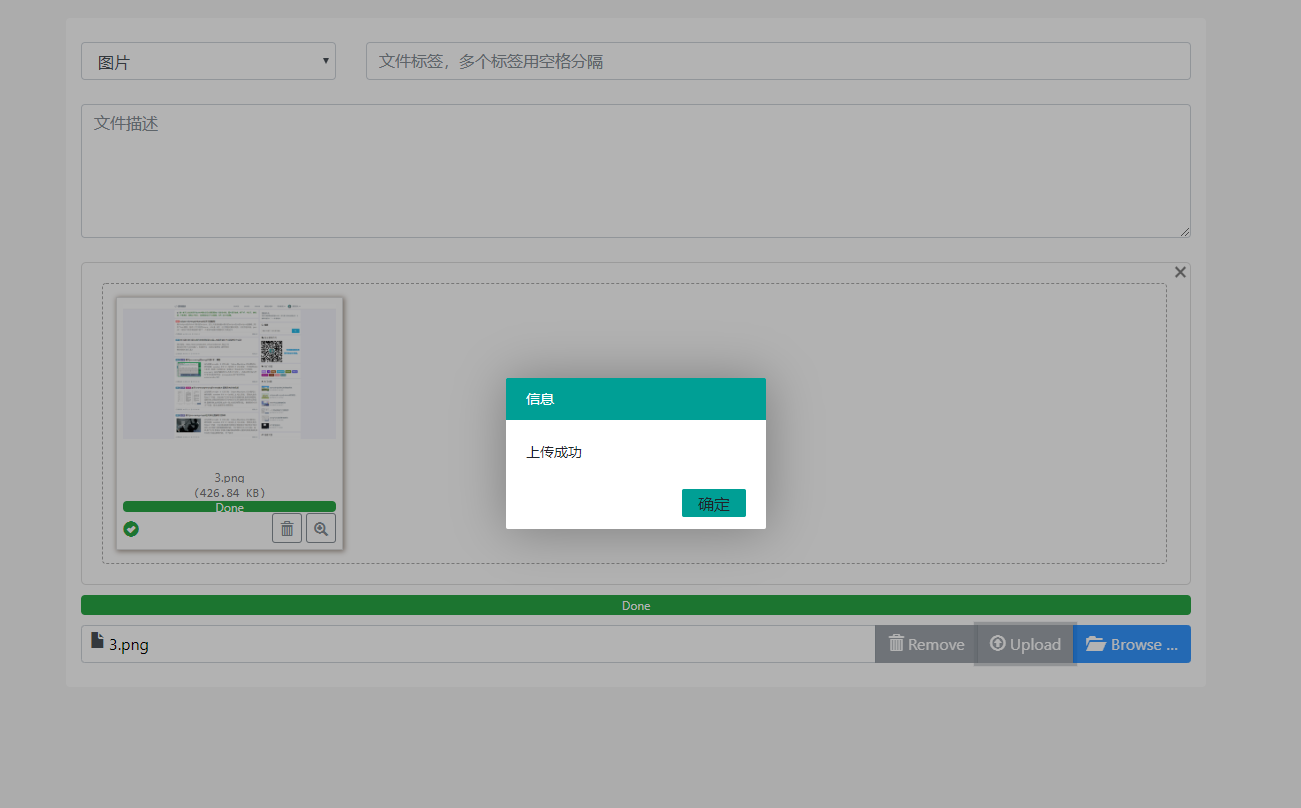
上传界面提供直观的进度显示和文件信息预览,支持拖拽上传和批量操作。
实时存储配额监控
系统实现动态存储空间管理,通过AOP切面技术实时监控用户存储使用情况:
@Service
@Transactional
public class StorageQuotaService {

    @Autowired
    private UserRepository userRepository;

    @Autowired
    private FileRepository fileRepository;

    /**
     * 检查用户存储空间是否充足
     */
    public boolean checkStorageQuota(Long userId, long fileSize) {
        User user = userRepository.findById(userId)
                .orElseThrow(() -> new UserNotFoundException("用户不存在"));

        long projectedUsage = user.getUsedStorage() + fileSize;
        return projectedUsage <= user.getStorageQuota();
    }

    /**
     * 更新用户存储使用量
     */
    @Async
    public void updateStorageUsage(Long userId, long fileSize, OperationType operation) {
        User user = userRepository.findById(userId).orElse(null);
        if (user == null) return;

        long newUsage = operation == OperationType.UPLOAD ?
                user.getUsedStorage() + fileSize :
                Math.max(0, user.getUsedStorage() - fileSize);

        user.setUsedStorage(newUsage);
        userRepository.save(user);

        // 发送存储预警通知
        if (newUsage > user.getStorageQuota() * 0.9) {
            sendStorageWarning(user, newUsage);
        }
    }

    /**
     * 存储空间预警切面
     */
    @Aspect
    @Component
    public static class StorageQuotaAspect {

        @Before("execution(* com.example.filestorage.service.FileService.saveFile(..)) && args(file, userId)")
        public void checkQuotaBeforeUpload(JoinPoint joinPoint, MultipartFile file, Long userId) {
            StorageQuotaService quotaService =
                    (StorageQuotaService) joinPoint.getThis();

            if (!quotaService.checkStorageQuota(userId, file.getSize())) {
                throw new StorageQuotaExceededException("存储空间不足");
            }
        }
    }
}
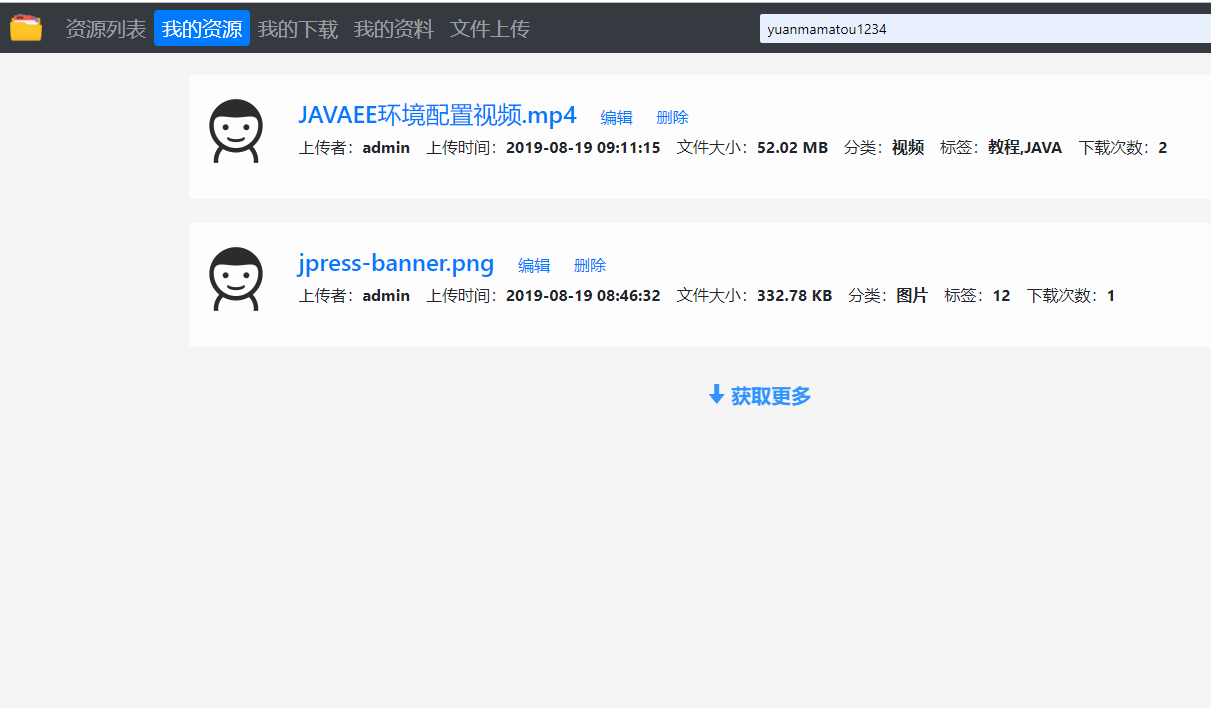
用户界面实时显示存储使用情况和剩余空间,支持存储空间扩容申请和管理。
安全文件分享机制
系统提供安全的文件分享功能,支持密码保护、时效控制和访问次数限制:
@Service
public class FileShareService {

    private static final int SHARE_TOKEN_LENGTH = 32;
    private static final int DEFAULT_EXPIRE_DAYS = 7;

    @Autowired
    private FileRepository fileRepository;

    @Autowired
    private ShareRecordRepository shareRecordRepository;

    /**
     * 创建文件分享链接
     */
    public ShareResponse createShareLink(ShareRequest request) {
        FileEntity file = fileRepository.findById(request.getFileId())
                .orElseThrow(() -> new FileNotFoundException("文件不存在"));

        // 生成唯一分享令牌
        String shareToken = generateShareToken();

        ShareRecord shareRecord = new ShareRecord();
        shareRecord.setFileId(file.getId());
        shareRecord.setShareToken(shareToken);
        shareRecord.setShareUserid(request.getUserId());
        shareRecord.setPassword(request.getPassword());
        shareRecord.setExpireTime(calculateExpireTime(request.getExpireDays()));
        shareRecord.setMaxDownloads(request.getMaxDownloads());
        shareRecord.setDownloadCount(0);
        shareRecord.setStatus(ShareStatus.ACTIVE);

        shareRecordRepository.save(shareRecord);

        return ShareResponse.builder()
                .shareUrl(generateShareUrl(shareToken))
                .expireTime(shareRecord.getExpireTime())
                .build();
    }

    /**
     * 验证分享访问权限
     */
    public boolean validateShareAccess(String shareToken, String password) {
        ShareRecord record = shareRecordRepository.findByShareToken(shareToken);

        if (record == null || record.getStatus() != ShareStatus.ACTIVE) {
            return false;
        }

        if (record.getExpireTime() != null &&
            record.getExpireTime().before(new Date())) {
            record.setStatus(ShareStatus.EXPIRED);
            shareRecordRepository.save(record);
            return false;
        }

        if (record.getPassword() != null &&
            !record.getPassword().equals(password)) {
            return false;
        }

        return true;
    }

    private String generateShareToken() {
        return RandomStringUtils.randomAlphanumeric(SHARE_TOKEN_LENGTH);
    }
}
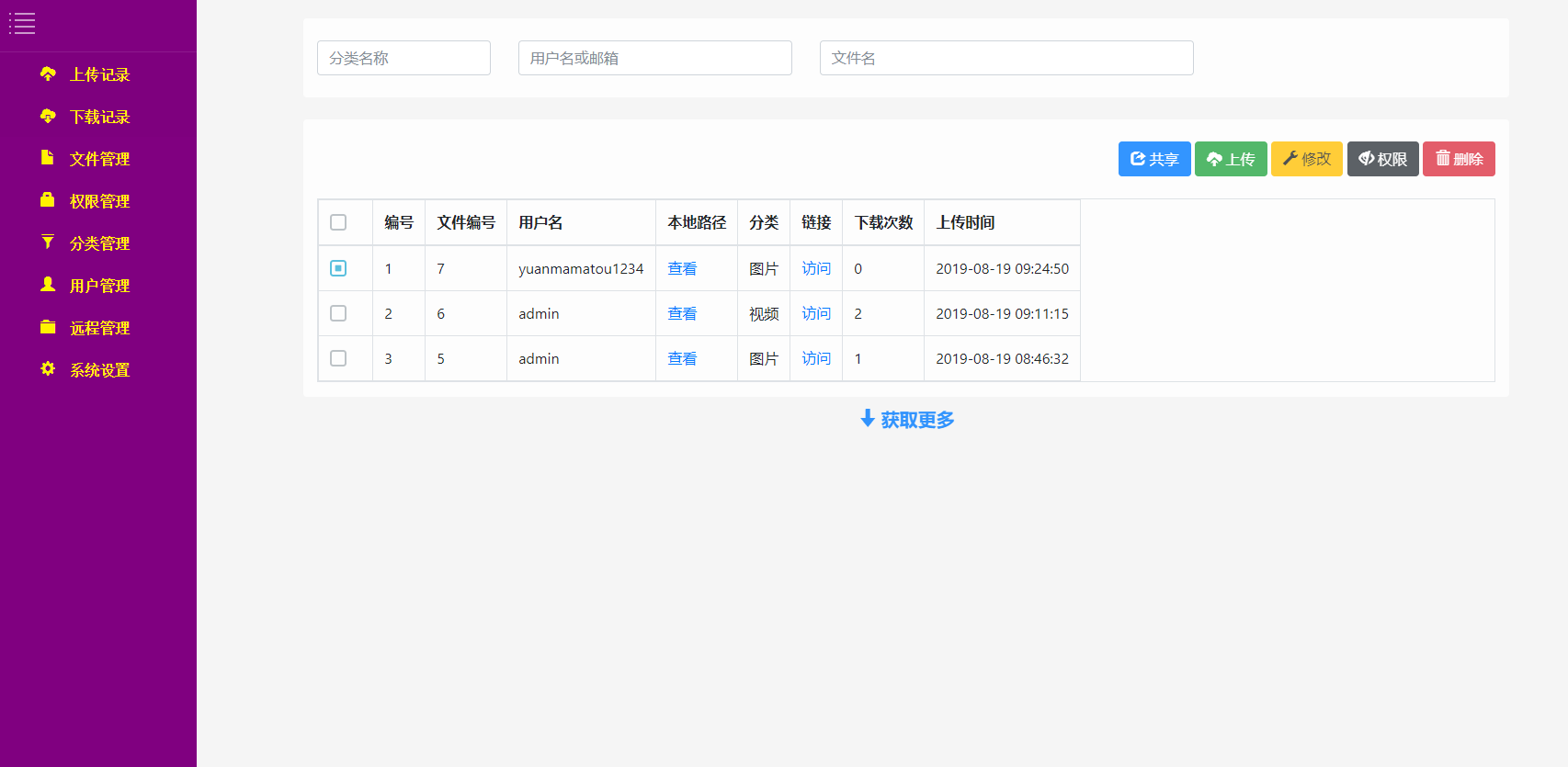
分享管理界面提供详细的访问统计和权限控制选项,确保文件分享安全可控。
系统监控与审计日志
系统集成完整的监控体系,记录用户操作日志和系统性能指标:
@Entity
@Table(name = "operation_log")
public class OperationLog {
    @Id
    @GeneratedValue(strategy = GenerationType.IDENTITY)
    private Long id;

    @Column(name = "user_id")
    private Long userId;

    @Column(name = "operation_type")
    @Enumerated(EnumType.STRING)
    private OperationType operationType;

    @Column(name = "target_type")
    private String targetType;

    @Column(name = "target_id")
    private Long targetId;

    @Column(name = "description")
    private String description;

    @Column(name = "ip_address")
    private String ipAddress;

    @Column(name = "user_agent")
    private String userAgent;

    @Column(name = "operation_time")
    private Date operationTime;

    @Column(name = "success")
    private Boolean success;

    @Column(name = "error_message", length = 1000)
    private String errorMessage;

    // 省略getter/setter方法
}

@Aspect
@Component
public class OperationLogAspect {

    @Autowired
    private OperationLogService logService;

    @AfterReturning("execution(* com.example.filestorage.controller..*(..))")
    public void logSuccessfulOperation(JoinPoint joinPoint) {
        OperationLog log = buildOperationLog(joinPoint, true, null);
        logService.saveLog(log);
    }

    @AfterThrowing(pointcut = "execution(* com.example.filestorage.controller..*(..))",
                   throwing = "ex")
    public void logFailedOperation(JoinPoint joinPoint, Exception ex) {
        OperationLog log = buildOperationLog(joinPoint, false, ex.getMessage());
        logService.saveLog(log);
    }
}
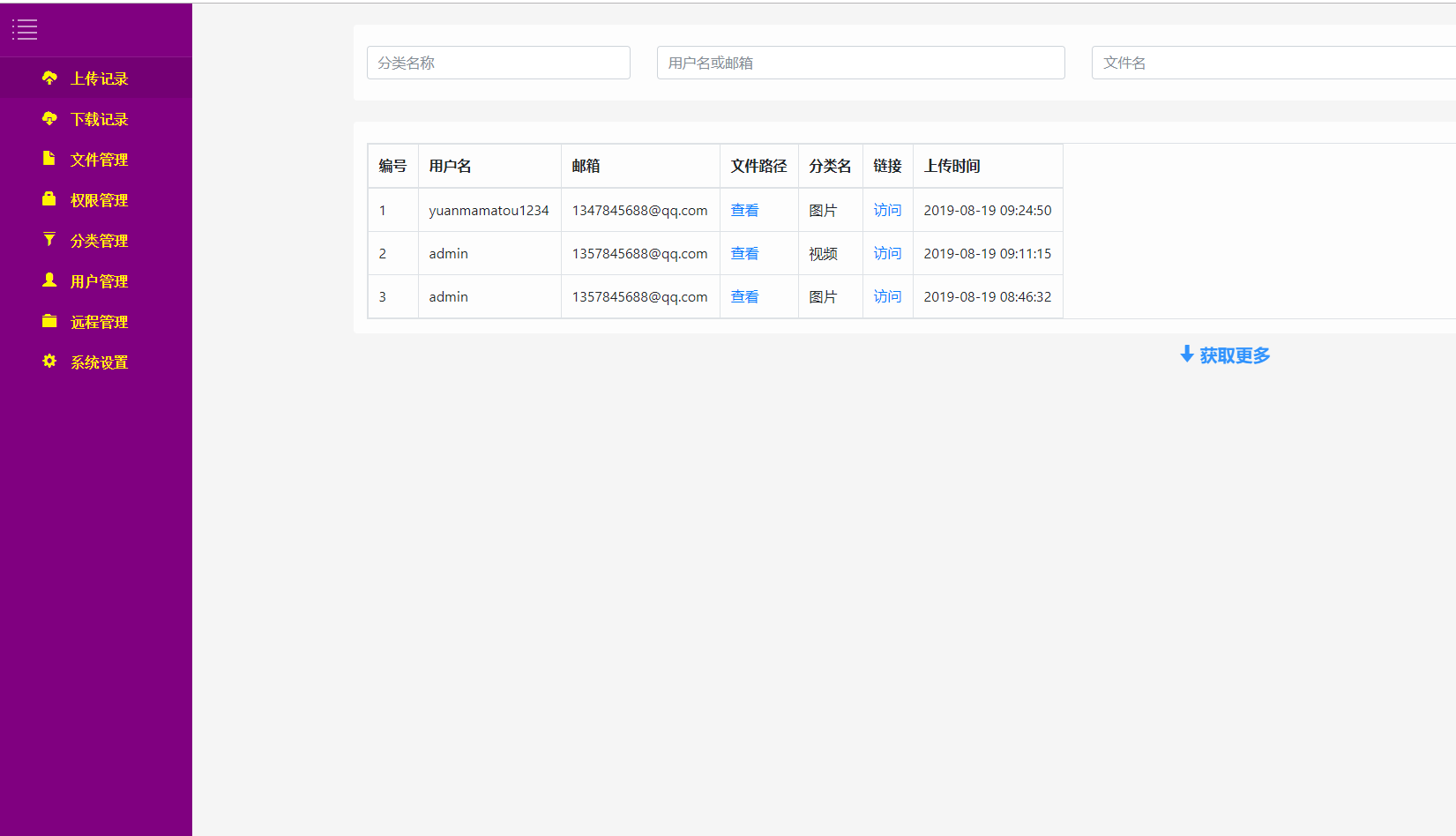
管理员仪表盘提供系统运行状态、存储使用统计和用户行为分析等关键指标。
实体模型与业务逻辑
系统采用领域驱动设计(DDD)理念,构建丰富的实体模型和业务服务:
@Entity
@Table(name = "file")
@Data
@EqualsAndHashCode(callSuper = false)
public class FileEntity extends BaseEntity {

    @Column(name = "file_name", nullable = false)
    private String fileName;

    @Column(name = "file_size", nullable = false)
    private Long fileSize;

    @Column(name = "file_md5", nullable = false, length = 32)
    private String fileMd5;

    @Column(name = "mime_type", nullable = false)
    private String mimeType;

    @Column(name = "storage_path", nullable = false)
    private String storagePath;

    @ManyToOne(fetch = FetchType.LAZY)
    @JoinColumn(name = "upload_user_id")
    private User uploadUser;

    @Column(name = "parent_id")
    private Long parentId;

    @Column(name = "is_directory")
    private Boolean directory;

    @OneToMany(mappedBy = "file", cascade = CascadeType.ALL)
    private Set<ShareRecord> shareRecords;

    @Transient
    private List<FileEntity> children;

    /**
     * 计算文件存储路径
     */
    public String calculateStoragePath() {
        if (this.directory) {
            return String.format("/%s/%s/",
                uploadUser.getId(),
                UUID.randomUUID().toString());
        }

        // 基于MD5的文件去重存储
        String fileExtension = getFileExtension();
        return String.format("/%s/%s/%s%s",
            uploadUser.getId(),
            fileMd5.substring(0, 2),
            fileMd5,
            fileExtension);
    }

    private String getFileExtension() {
        int lastDotIndex = fileName.lastIndexOf('.');
        return lastDotIndex > 0 ? fileName.substring(lastDotIndex) : "";
    }
}
性能优化策略
系统针对大规模文件存储场景实施多项性能优化措施:
数据库查询优化:
@Repository
public interface FileRepository extends JpaRepository<FileEntity, Long> {

    @Query("SELECT f FROM FileEntity f WHERE f.uploadUser.id = :userId AND f.parentId = :parentId")
    Page<FileEntity> findByUserAndParent(@Param("userId") Long userId,
                                        @Param("parentId") Long parentId,
                                        Pageable pageable);

    @Query("SELECT new map(f.mimeType as type, COUNT(f) as count, SUM(f.fileSize) as totalSize) " +
           "FROM FileEntity f WHERE f.uploadUser.id = :userId GROUP BY f.mimeType")
    List<Map<String, Object>> getStorageStatisticsByUser(@Param("userId") Long userId);

    @EntityGraph(attributePaths = {"uploadUser"})
    @Query("SELECT f FROM FileEntity f WHERE f.fileMd5 = :md5")
    FileEntity findByMd5WithUser(@Param("md5") String md5);
}
缓存策略实现:
@Service
@CacheConfig(cacheNames = "fileCache")
public class FileCacheService {

    @Cacheable(key = "'file_' + #fileId")
    public FileEntity getFileById(Long fileId) {
        return fileRepository.findById(fileId).orElse(null);
    }

    @CacheEvict(key = "'file_' + #fileId")
    public void evictFileCache(Long fileId) {
        // 缓存清除
    }

    @Caching(evict = {
        @CacheEvict(key = "'user_files_' + #userId"),
        @CacheEvict(key = "'storage_stats_' + #userId")
    })
    public void evictUserFileCache(Long userId) {
        // 用户文件缓存清除
    }
}
技术展望与优化方向
基于当前系统架构,未来可从以下几个方向进行功能扩展和性能优化:
分布式存储集成:对接MinIO、Ceph等分布式对象存储系统,实现存储空间横向扩展和高可用性。通过抽象存储层接口,支持多种存储后端无缝切换。
智能文件分类: