在教育信息化快速发展的背景下,传统纸质或单机版的学生信息管理方式已难以满足现代教育机构对数据处理效率和系统响应速度的要求。大量学生数据的集中加载会导致界面卡顿、查询延迟,严重影响日常工作效率。针对这一痛点,设计并实现了基于JSP+Servlet架构的学生信息分页管理系统(可称为"智慧学籍管理平台"),该系统通过引入高效的分页查询机制,显著提升了大数据量场景下的操作体验。
系统采用经典的MVC设计模式,JSP作为视图层负责动态页面渲染,Servlet作为控制层处理业务逻辑,JDBC实现数据持久化操作。这种分层架构确保了代码的清晰度和可维护性。分页功能的核心在于通过SQL的LIMIT和OFFSET语句实现数据分段提取,配合前端分页导航组件,使得用户能够快速定位和浏览目标数据。
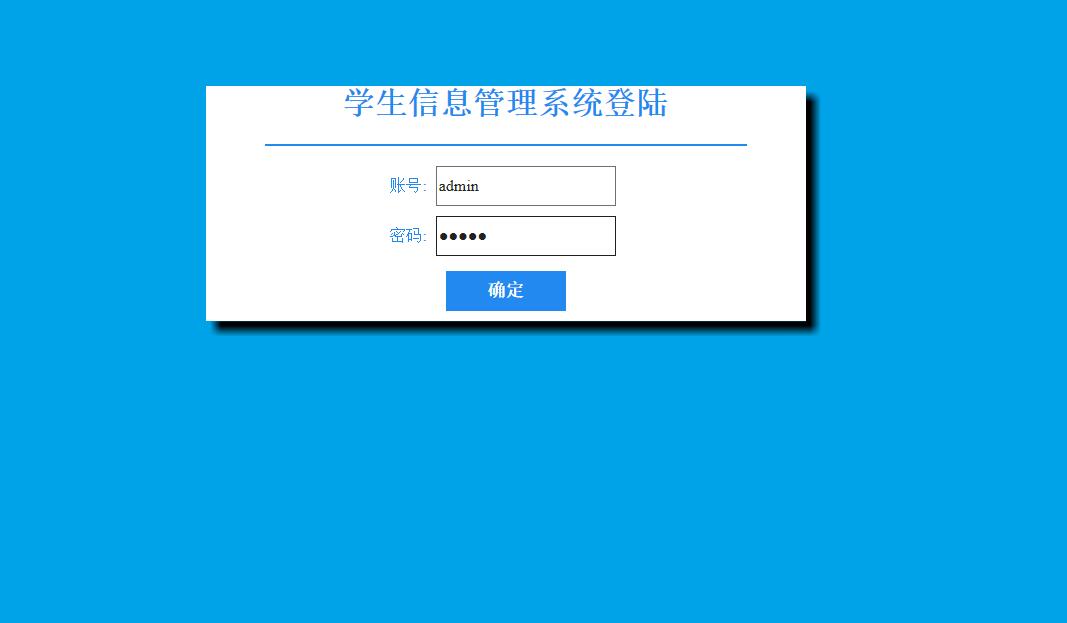
数据库架构设计
系统采用MySQL数据库,包含两个核心数据表:学生信息表(student)和管理员表(admin)。表结构设计充分考虑了数据完整性和查询效率。
学生信息表设计亮点:
CREATE TABLE `student` (
  `sid` int(11) NOT NULL AUTO_INCREMENT,
  `sname` varchar(20) DEFAULT NULL,
  `gender` varchar(5) DEFAULT NULL,
  `phone` varchar(20) DEFAULT NULL,
  `birthday` date DEFAULT NULL,
  `hobby` varchar(50) DEFAULT NULL,
  `info` varchar(200) DEFAULT NULL,
  PRIMARY KEY (`sid`)
) ENGINE=InnoDB AUTO_INCREMENT=16 DEFAULT CHARSET=utf8;
该表设计的专业技术考量包括:
- 自增主键优化:sid字段采用AUTO_INCREMENT属性,确保主键的唯一性和连续性,避免插入时的主键冲突
- 字段长度精细化:根据实际业务需求精确设定字段长度,如sname(20)满足中文姓名存储,phone(20)支持国际号码格式
- 数据完整性约束:birthday使用DATE类型确保日期格式规范,hobby和info采用适当长度限制防止数据溢出
- 存储引擎选择:采用InnoDB引擎支持事务处理和行级锁定,保证并发操作的数据一致性
管理员表安全设计:
CREATE TABLE `admin` (
  `username` varchar(20) NOT NULL,
  `password` varchar(20) NOT NULL
) ENGINE=InnoDB DEFAULT CHARSET=utf8;
管理员表采用简单的用户名-密码验证机制,在实际生产环境中可通过密码加密存储和角色权限分级进一步增强安全性。
核心分页功能实现
分页功能是系统的核心技术亮点,通过后端分页查询和前端分页导航的协同工作,实现高效的数据展示。
分页实体类设计:
public class PageBean<T> {
    private int totalCount;       // 总记录数
    private int totalPage;        // 总页码
    private List<T> list;         // 当前页数据列表
    private int currentPage;      // 当前页码
    private int rows;             // 每页显示记录数

    // 构造函数、getter和setter方法
    public PageBean() {}

    public int getTotalCount() { return totalCount; }
    public void setTotalCount(int totalCount) {
        this.totalCount = totalCount;
        // 计算总页数
        this.totalPage = totalCount % rows == 0 ? totalCount / rows : totalCount / rows + 1;
    }
}
PageBean类封装了分页所需的全部元数据,通过计算总页数确保分页逻辑的准确性。
分页查询Servlet实现:
@WebServlet("/studentPageServlet")
public class StudentPageServlet extends HttpServlet {
    protected void doPost(HttpServletRequest request, HttpServletResponse response) {
        // 1.获取参数:当前页码和每页显示数量
        String currentPageStr = request.getParameter("currentPage");
        String rowsStr = request.getParameter("rows");

        int currentPage = Integer.parseInt(currentPageStr);
        int rows = Integer.parseInt(rowsStr);

        // 2.调用Service查询PageBean
        StudentService service = new StudentServiceImpl();
        PageBean<Student> pb = service.findStudentByPage(currentPage, rows);

        // 3.将PageBean存入request
        request.setAttribute("pb", pb);

        // 4.转发到list.jsp
        request.getRequestDispatcher("/list.jsp").forward(request, response);
    }
}
Servlet负责解析前端传递的分页参数,协调业务逻辑层完成数据查询,并将结果封装后传递给视图层。
分页业务逻辑实现:
public class StudentServiceImpl implements StudentService {
    private StudentDao dao = new StudentDaoImpl();

    @Override
    public PageBean<Student> findStudentByPage(int currentPage, int rows) {
        // 1.创建空的PageBean对象
        PageBean<Student> pb = new PageBean<>();
        pb.setCurrentPage(currentPage);
        pb.setRows(rows);

        // 2.查询总记录数
        int totalCount = dao.findTotalCount();
        pb.setTotalCount(totalCount);

        // 3.计算起始索引
        int start = (currentPage - 1) * rows;

        // 4.查询当前页数据列表
        List<Student> list = dao.findByPage(start, rows);
        pb.setList(list);

        return pb;
    }
}
业务逻辑层分离了数据访问逻辑,通过计算起始索引实现准确的数据分段。
分页数据访问层实现:
public class StudentDaoImpl implements StudentDao {
    @Override
    public int findTotalCount() {
        String sql = "select count(*) from student";
        return Template.queryForScalar(sql);
    }

    @Override
    public List<Student> findByPage(int start, int rows) {
        String sql = "select * from student limit ? , ?";
        return Template.queryForList(Student.class, sql, start, rows);
    }
}
数据访问层使用LIMIT和OFFSET(通过start参数实现)实现高效的分页查询,每次只获取当前页所需的数据量。
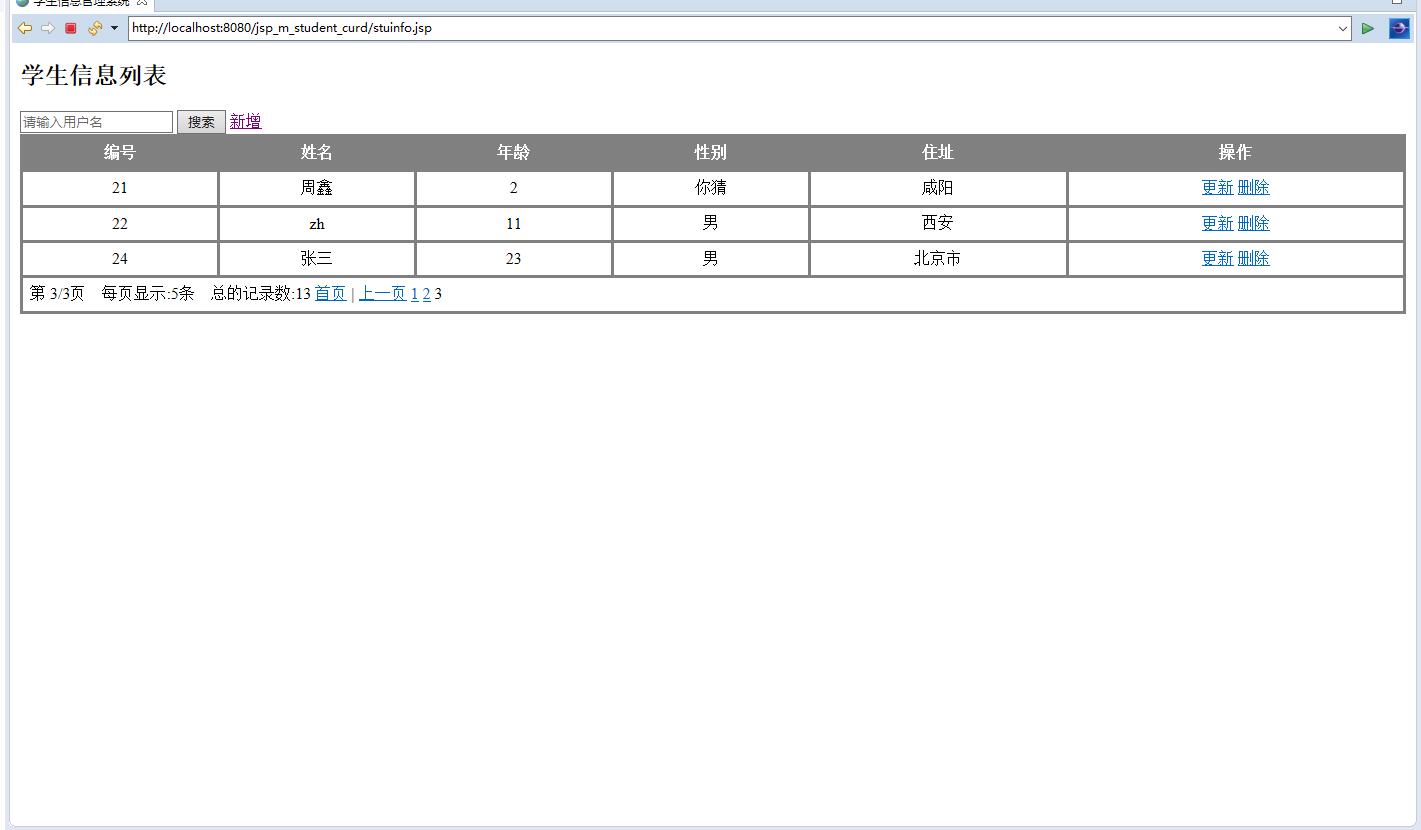
前端分页导航实现
JSP页面负责渲染分页导航条,提供直观的用户交互界面。
分页导航JSP实现:
<div class="pagination">
    <ul>
        <c:if test="${pb.currentPage == 1}">
            <li class="disabled"><a href="javascript:void(0);">首页</a></li>
            <li class="disabled"><a href="javascript:void(0);">上一页</a></li>
        </c:if>
        <c:if test="${pb.currentPage != 1}">
            <li><a href="${pageContext.request.contextPath}/studentPageServlet?currentPage=1&rows=5">首页</a></li>
            <li><a href="${pageContext.request.contextPath}/studentPageServlet?currentPage=${pb.currentPage-1}&rows=5">上一页</a></li>
        </c:if>

        <c:forEach begin="1" end="${pb.totalPage}" var="i">
            <c:if test="${pb.currentPage == i}">
                <li class="active"><a href="javascript:void(0);">${i}</a></li>
            </c:if>
            <c:if test="${pb.currentPage != i}">
                <li><a href="${pageContext.request.contextPath}/studentPageServlet?currentPage=${i}&rows=5">${i}</a></li>
            </c:if>
        </c:forEach>

        <c:if test="${pb.currentPage == pb.totalPage}">
            <li class="disabled"><a href="javascript:void(0);">下一页</a></li>
            <li class="disabled"><a href="javascript:void(0);">末页</a></li>
        </c:if>
        <c:if test="${pb.currentPage != pb.totalPage}">
            <li><a href="${pageContext.request.contextPath}/studentPageServlet?currentPage=${pb.currentPage+1}&rows=5">下一页</a></li>
            <li><a href="${pageContext.request.contextPath}/studentPageServlet?currentPage=${pb.totalPage}&rows=5">末页</a></li>
        </c:if>
    </ul>
</div>
前端分页导航通过JSTL标签库动态生成页码链接,根据当前页状态智能禁用相应按钮,提供良好的用户体验。
数据增删改查功能
系统提供完整的学生信息CRUD操作,每个功能模块都经过精心设计。
学生信息添加功能:
@WebServlet("/addStudentServlet")
public class AddStudentServlet extends HttpServlet {
    protected void doPost(HttpServletRequest request, HttpServletResponse response) {
        // 1.设置编码
        request.setCharacterEncoding("utf-8");

        // 2.获取所有参数
        Map<String, String[]> parameterMap = request.getParameterMap();

        // 3.封装对象
        Student student = new Student();
        try {
            BeanUtils.populate(student, parameterMap);
        } catch (Exception e) {
            e.printStackTrace();
        }

        // 4.调用Service保存
        StudentService service = new StudentServiceImpl();
        service.addStudent(student);

        // 5.跳转到查询所有Servlet
        response.sendRedirect(request.getContextPath() + "/studentPageServlet?currentPage=1&rows=5");
    }
}
添加功能采用BeanUtils工具类简化参数封装过程,完成后自动重定向到分页查询页面。
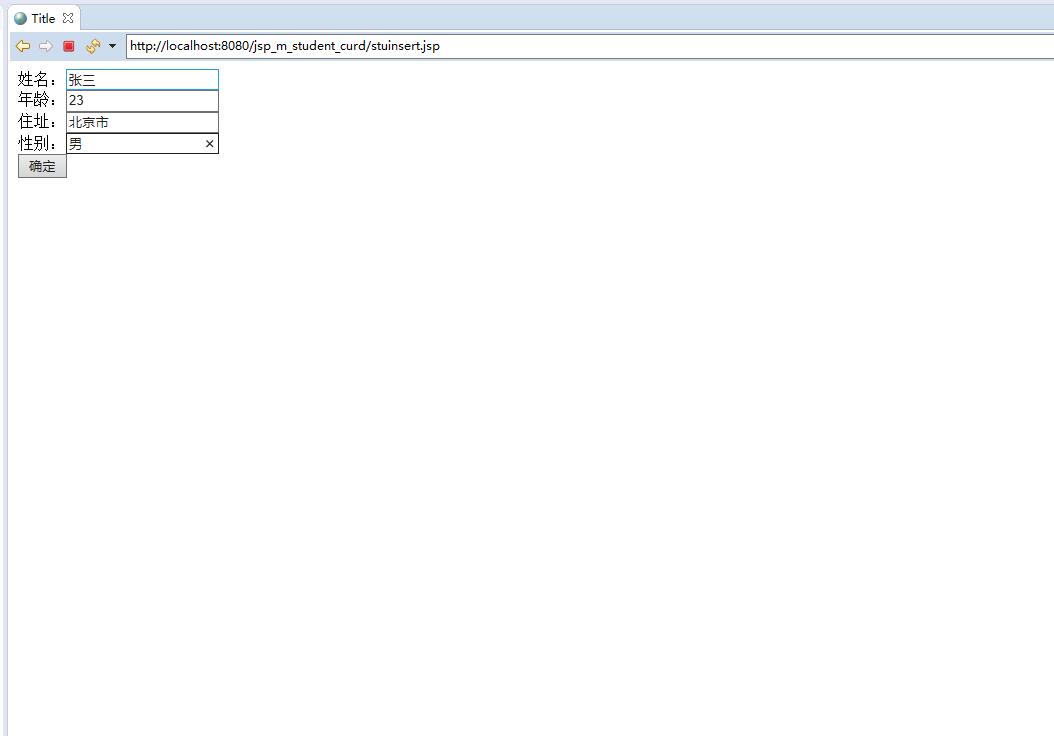
学生信息更新功能:
@WebServlet("/updateStudentServlet")
public class UpdateStudentServlet extends HttpServlet {
    protected void doPost(HttpServletRequest request, HttpServletResponse response) {
        // 1.设置编码
        request.setCharacterEncoding("utf-8");

        // 2.获取映射参数
        Map<String, String[]> map = request.getParameterMap();

        // 3.封装对象
        Student student = new Student();
        try {
            BeanUtils.populate(student, map);
        } catch (Exception e) {
            e.printStackTrace();
        }

        // 4.调用Service修改
        StudentService service = new StudentServiceImpl();
        service.updateStudent(student);

        // 5.跳转到查询页面
        response.sendRedirect(request.getContextPath() + "/studentPageServlet?currentPage=1&rows=5");
    }
}
更新操作通过ID标识目标记录,确保数据修改的准确性。
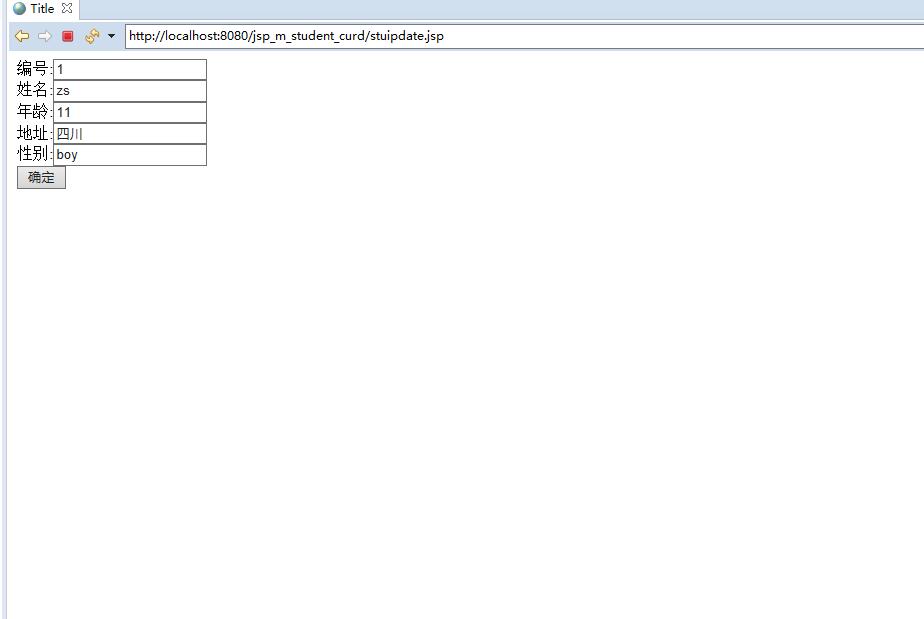
系统优化与功能扩展方向
基于现有架构,系统具备良好的扩展性,以下是一些可行的优化方向:
查询条件分页优化 实现带条件的分页查询,支持按姓名、学号等字段筛选:
public PageBean<Student> findStudentByPage(int currentPage, int rows, String condition) {
    // 构建动态SQL,添加WHERE条件
    String sql = "select * from student where 1=1";
    if(condition != null && !condition.trim().isEmpty()) {
        sql += " and sname like ?";
    }
    sql += " limit ? , ?";
}
数据库连接池集成 使用DBCP或C3P0连接池替代传统JDBC连接管理:
<!-- 在context.xml中配置连接池 -->
<Resource name="jdbc/studentDB"
          type="javax.sql.DataSource"
          maxTotal="100"
          maxIdle="30"
          maxWaitMillis="10000"
          username="root"
          password="123456"
          driverClassName="com.mysql.jdbc.Driver"
          url="jdbc:mysql://localhost:3306/student_db"/>
前端异步分页加载 采用Ajax技术实现无刷新分页,提升用户体验:
function loadPageData(page) {
    $.ajax({
        url: '/studentPageServlet',
        type: 'GET',
        data: {currentPage: page, rows: 5},
        success: function(data) {
            $('#studentTable').html(data);
        }
    });
}
数据导出功能 添加Excel导出功能,便于数据备份和报表生成:
public void exportToExcel(List<Student> students, HttpServletResponse response) {
    HSSFWorkbook workbook = new HSSFWorkbook();
    HSSFSheet sheet = workbook.createSheet("学生信息");
    // 创建表头和数据行
    // 设置响应头,触发文件下载
}
性能监控与缓存机制 集成Redis缓存热点数据,减少数据库访问压力:
public PageBean<Student> findStudentByPageWithCache(int currentPage, int rows) {
    String cacheKey = "student_page_" + currentPage + "_" + rows;
    PageBean<Student> pb = redisTemplate.opsForValue().get(cacheKey);
    if(pb == null) {
        pb = findStudentByPage(currentPage, rows);
        redisTemplate.opsForValue().set(cacheKey, pb, 10, TimeUnit.MINUTES);
    }
    return pb;
}
系统架构优势总结
智慧学籍管理平台通过精细的分页设计和合理的架构分层,有效解决了大数据量下的性能瓶颈问题。系统采用经典的JSP+Servlet技术栈,确保了技术的稳定性和可维护性。分页查询机制通过LIMIT和OFFSET实现数据分段加载,显著降低了数据库压力。前端分页导航提供直观的操作界面,后端PageBean实体类封装了完整的分页元数据。
系统的扩展性设计为后续功能升级提供了良好基础,无论是查询条件扩展、性能优化还是新功能集成,都能在现有架构上平滑实现。这种基于成熟技术栈的轻量级解决方案,特别适合教育机构的信息化建设需求,在保证功能完整性的同时控制了技术复杂度。