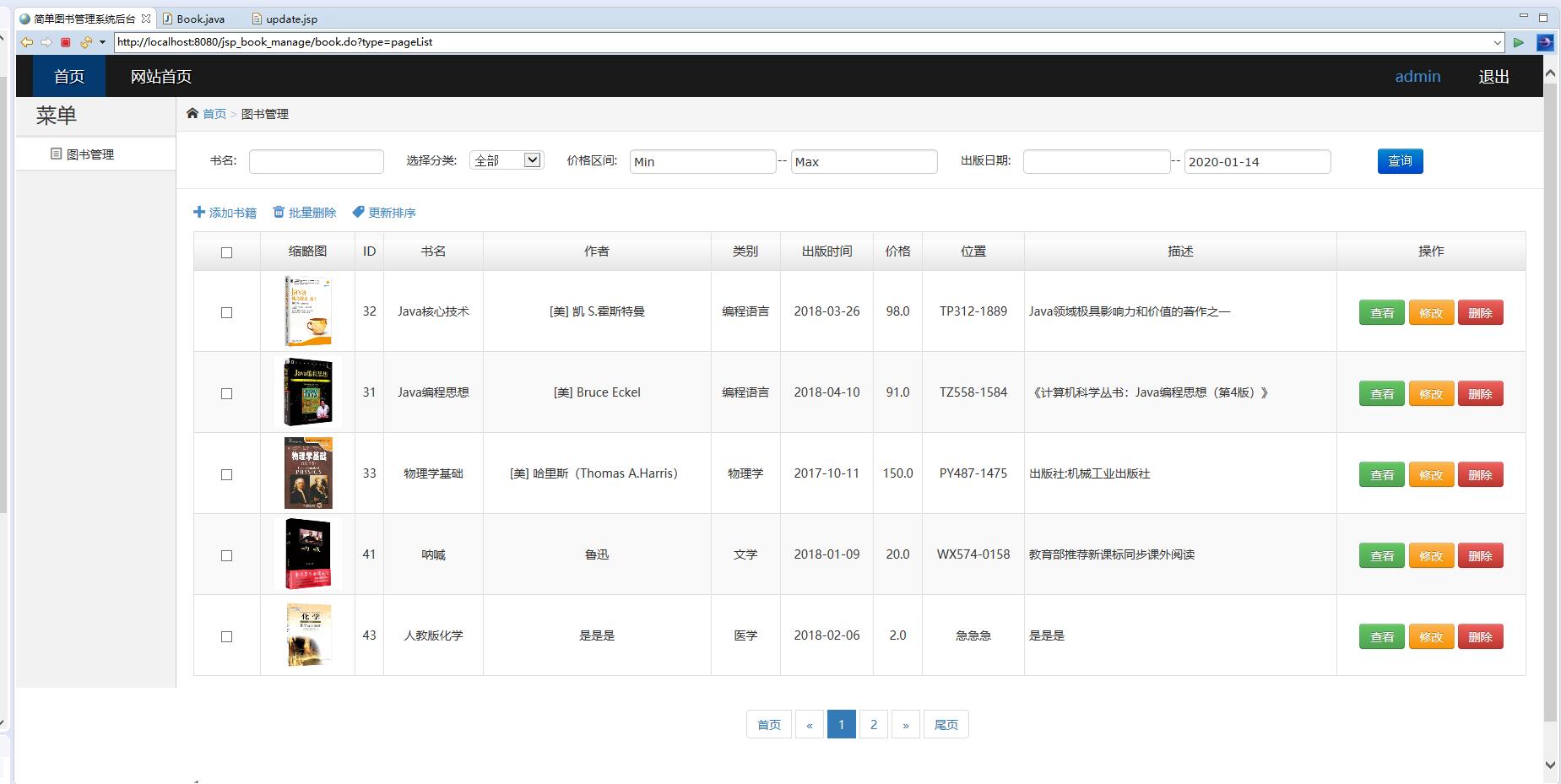
在传统图书馆管理工作中,人工登记、纸质卡片查询等方式效率低下、容易出错,且信息更新严重滞后。针对这些痛点,我们设计并实现了一套名为“智慧图书库”的管理系统。该系统采用经典的JSP+Servlet技术栈,严格遵循MVC设计模式,为中小型图书馆和图书资料室提供了一套完整的数字化管理解决方案。
系统架构的核心是模型-视图-控制器分离。Servlet作为控制器层,负责处理所有HTTP请求,进行业务逻辑调度和数据验证;JSP页面专注于视图展示,通过JSTL和EL表达式动态渲染数据;JavaBean作为模型层,封装业务数据和数据库操作。这种分层架构确保了代码的可维护性和可扩展性。
数据库设计解析
系统采用MySQL数据库,设计了三个核心数据表,结构精简但功能完备。
图书信息表(books)的设计体现了数据完整性的考量:
CREATE TABLE books (
    book_id INT AUTO_INCREMENT PRIMARY KEY,
    isbn VARCHAR(20) UNIQUE NOT NULL,
    title VARCHAR(200) NOT NULL,
    author VARCHAR(100) NOT NULL,
    publisher VARCHAR(100),
    publish_date DATE,
    category VARCHAR(50),
    total_copies INT DEFAULT 0,
    available_copies INT DEFAULT 0,
    location VARCHAR(100),
    create_time TIMESTAMP DEFAULT CURRENT_TIMESTAMP,
    update_time TIMESTAMP DEFAULT CURRENT_TIMESTAMP ON UPDATE CURRENT_TIMESTAMP
);
该表设计中几个亮点值得关注:book_id作为自增主键确保唯一性;isbn字段设置UNIQUE约束防止重复录入;total_copies和available_copies分别记录总册数和可借册数,通过程序逻辑保持数据一致性;create_time和update_time自动维护时间戳,便于审计和追踪。
借阅记录表(borrow_records)的设计支持复杂的业务逻辑:
CREATE TABLE borrow_records (
    record_id INT AUTO_INCREMENT PRIMARY KEY,
    book_id INT NOT NULL,
    borrower_id VARCHAR(50) NOT NULL,
    borrow_date DATE NOT NULL,
    due_date DATE NOT NULL,
    return_date DATE,
    status ENUM('借出', '已还', '超期') DEFAULT '借出',
    fine_amount DECIMAL(8,2) DEFAULT 0.00,
    FOREIGN KEY (book_id) REFERENCES books(book_id) ON DELETE CASCADE
);
该表通过外键约束确保数据引用完整性,status字段使用ENUM类型限定取值范围,fine_amount支持罚款金额计算。日期字段的精细划分为统计分析提供了数据基础。
核心功能实现深度解析
1. 图书信息管理模块
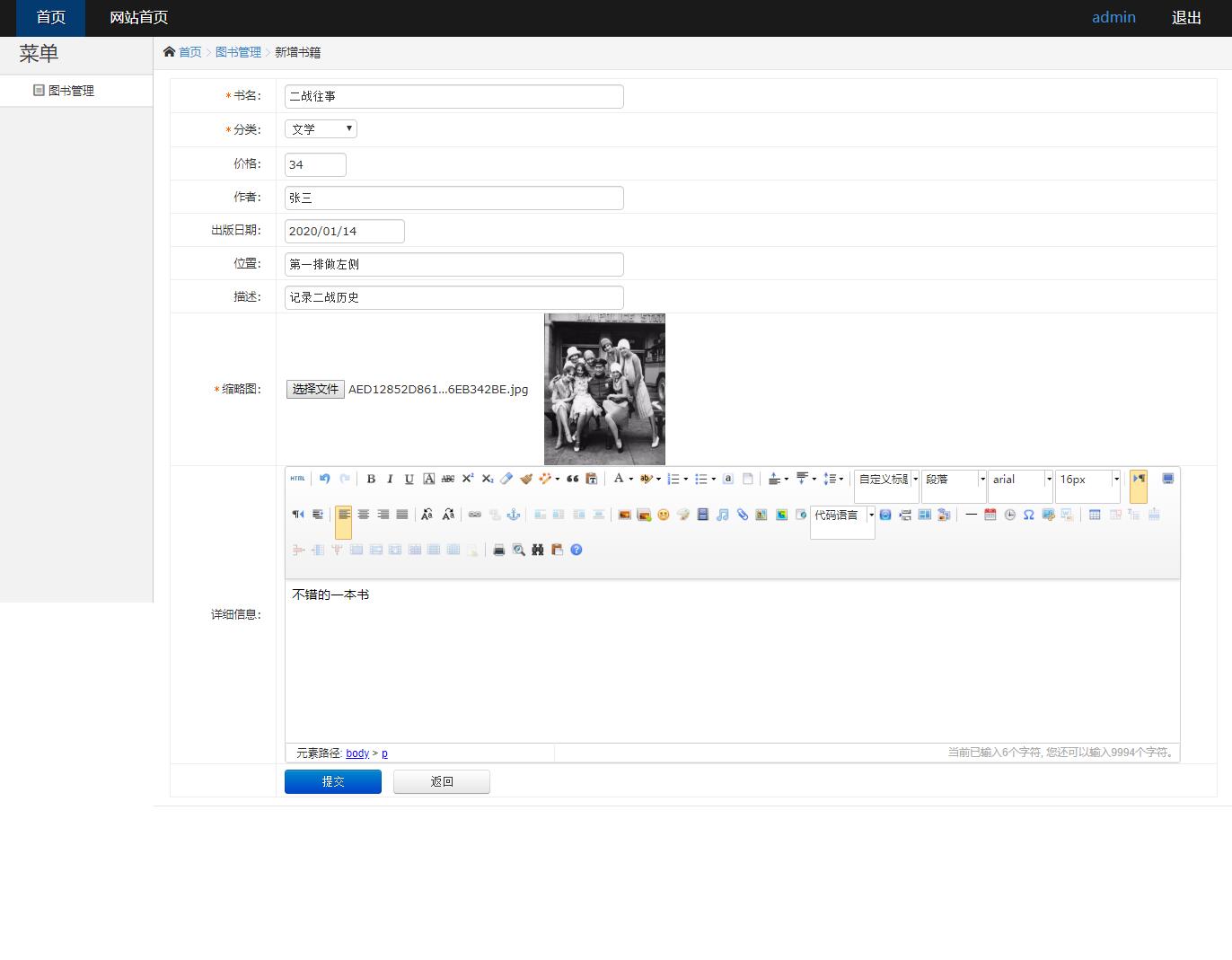
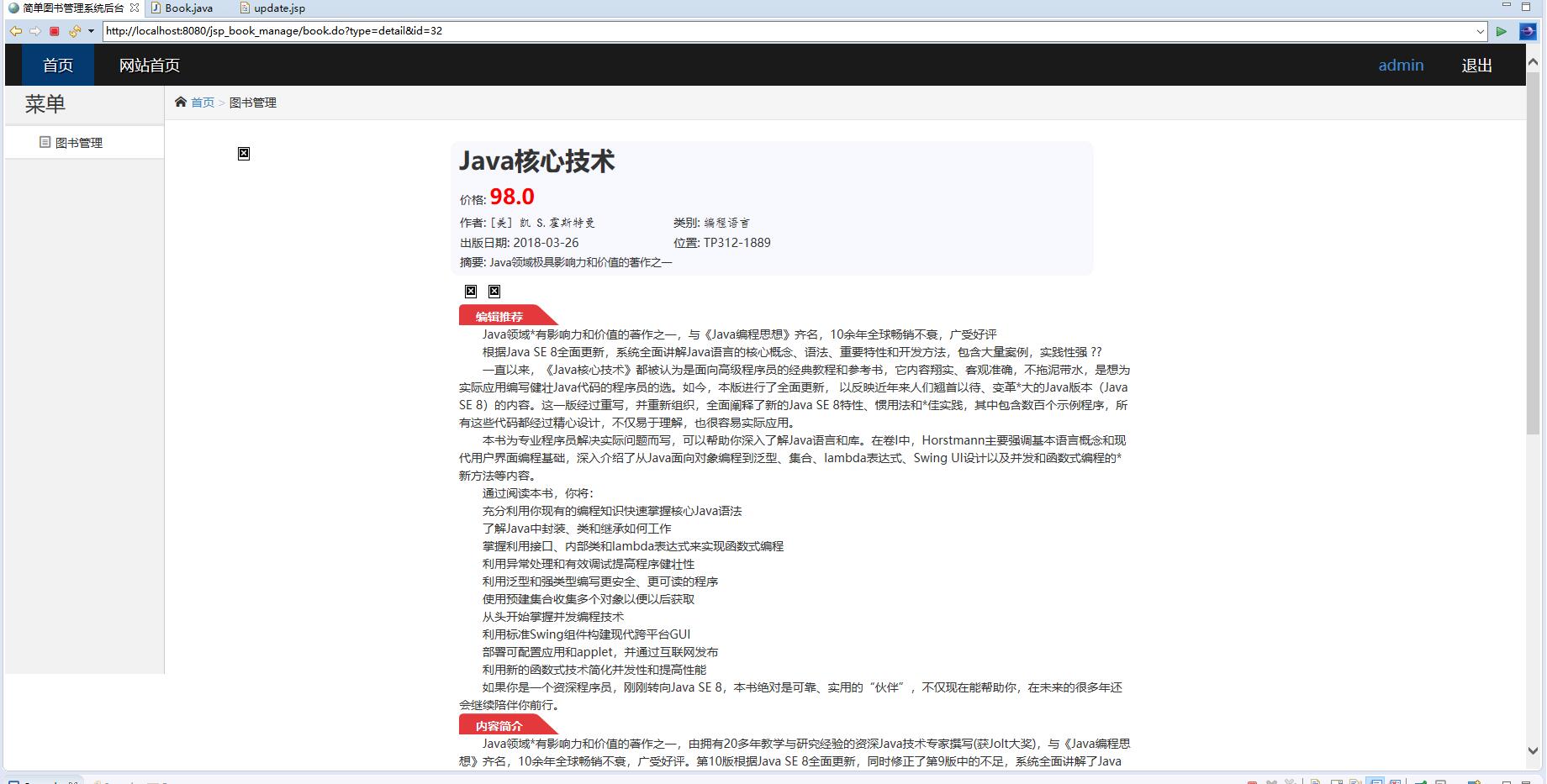
图书管理是系统的核心功能,包含新增、修改、查询和删除等操作。Servlet控制器通过集中式设计处理各种请求:
@WebServlet("/book/*")
public class BookServlet extends HttpServlet {
    private BookDAO bookDAO;

    @Override
    public void init() throws ServletException {
        bookDAO = new BookDAO();
    }

    @Override
    protected void doGet(HttpServletRequest request, HttpServletResponse response)
            throws ServletException, IOException {
        String action = request.getPathInfo();
        switch (action) {
            case "/list":
                listBooks(request, response);
                break;
            case "/search":
                searchBooks(request, response);
                break;
            case "/edit":
                showEditForm(request, response);
                break;
            default:
                listBooks(request, response);
                break;
        }
    }

    @Override
    protected void doPost(HttpServletRequest request, HttpServletResponse response)
            throws ServletException, IOException {
        String action = request.getPathInfo();
        switch (action) {
            case "/add":
                addBook(request, response);
                break;
            case "/update":
                updateBook(request, response);
                break;
            case "/delete":
                deleteBook(request, response);
                break;
        }
    }
}
数据访问层采用PreparedStatement防止SQL注入,确保系统安全:
public class BookDAO {
    private Connection connection;

    public BookDAO() {
        connection = DatabaseConnection.getConnection();
    }

    public boolean addBook(Book book) {
        String sql = "INSERT INTO books (isbn, title, author, publisher, publish_date, " +
                    "category, total_copies, available_copies, location) " +
                    "VALUES (?, ?, ?, ?, ?, ?, ?, ?, ?)";
        try (PreparedStatement statement = connection.prepareStatement(sql)) {
            statement.setString(1, book.getIsbn());
            statement.setString(2, book.getTitle());
            statement.setString(3, book.getAuthor());
            statement.setString(4, book.getPublisher());
            statement.setDate(5, new java.sql.Date(book.getPublishDate().getTime()));
            statement.setString(6, book.getCategory());
            statement.setInt(7, book.getTotalCopies());
            statement.setInt(8, book.getAvailableCopies());
            statement.setString(9, book.getLocation());

            return statement.executeUpdate() > 0;
        } catch (SQLException e) {
            e.printStackTrace();
            return false;
        }
    }
}
2. 智能检索功能
系统提供多条件组合查询功能,支持按书名、作者、ISBN等关键词检索:
private void searchBooks(HttpServletRequest request, HttpServletResponse response)
        throws ServletException, IOException {
    String keyword = request.getParameter("keyword");
    String searchType = request.getParameter("searchType");

    List<Book> books = new ArrayList<>();
    try {
        String sql = "SELECT * FROM books WHERE ";
        switch (searchType) {
            case "title":
                sql += "title LIKE ?";
                break;
            case "author":
                sql += "author LIKE ?";
                break;
            case "isbn":
                sql += "isbn = ?";
                break;
            default:
                sql += "title LIKE ? OR author LIKE ? OR isbn LIKE ?";
                break;
        }

        PreparedStatement statement = connection.prepareStatement(sql);
        if ("title".equals(searchType) || "author".equals(searchType)) {
            statement.setString(1, "%" + keyword + "%");
        } else if ("isbn".equals(searchType)) {
            statement.setString(1, keyword);
        } else {
            statement.setString(1, "%" + keyword + "%");
            statement.setString(2, "%" + keyword + "%");
            statement.setString(3, "%" + keyword + "%");
        }

        ResultSet rs = statement.executeQuery();
        while (rs.next()) {
            Book book = extractBookFromResultSet(rs);
            books.add(book);
        }

        request.setAttribute("books", books);
        request.getRequestDispatcher("/book-list.jsp").forward(request, response);
    } catch (SQLException e) {
        throw new ServletException("数据库查询错误", e);
    }
}
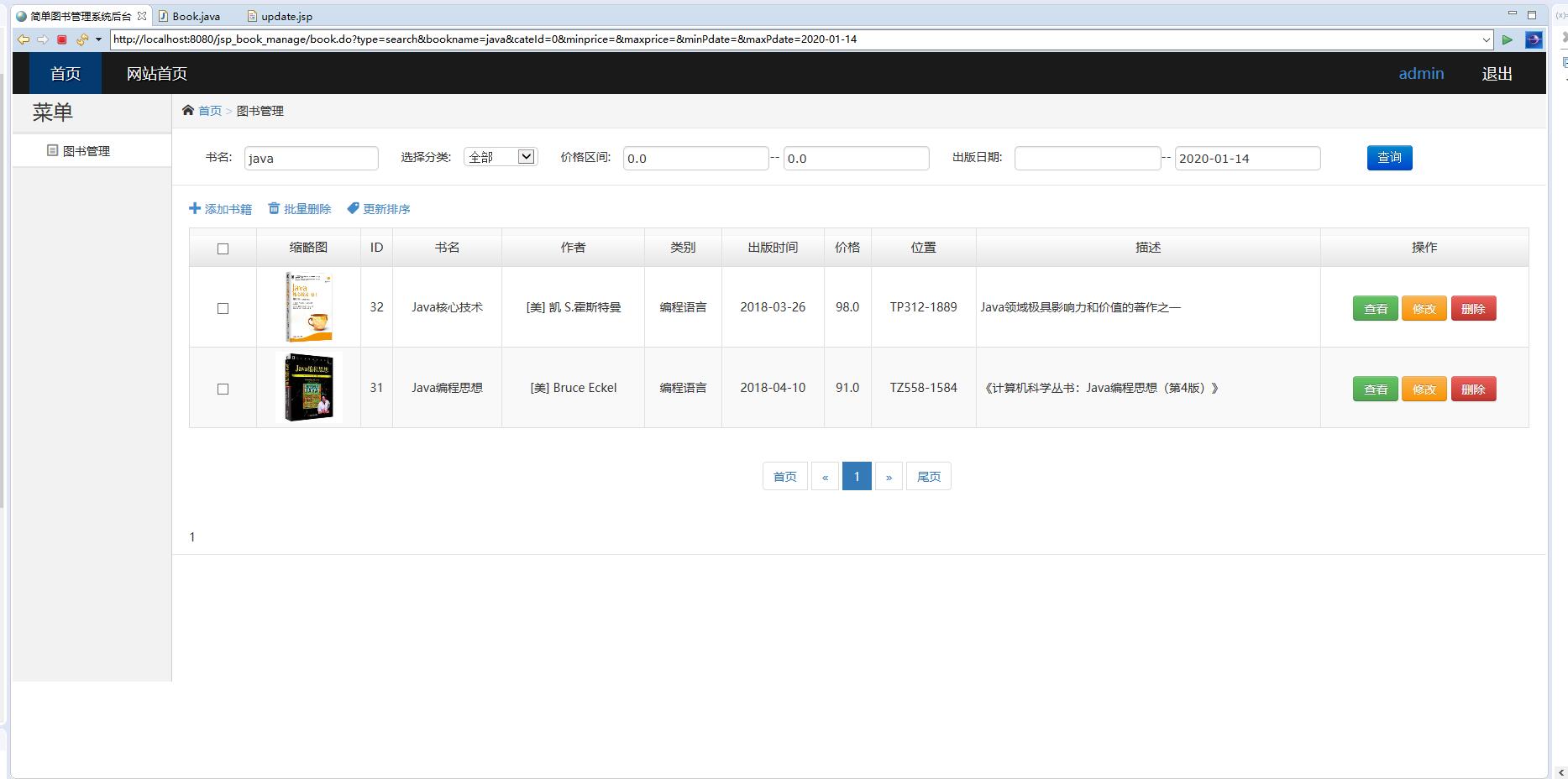
JSP页面使用JSTL标签库优雅地展示查询结果:
<%@ taglib prefix="c" uri="http://java.sun.com/jsp/jstl/core" %>
<table class="table table-striped">
    <thead>
        <tr>
            <th>ISBN</th>
            <th>书名</th>
            <th>作者</th>
            <th>出版社</th>
            <th>库存数量</th>
            <th>可借数量</th>
            <th>操作</th>
        </tr>
    </thead>
    <tbody>
        <c:forEach var="book" items="${books}">
            <tr>
                <td>${book.isbn}</td>
                <td>${book.title}</td>
                <td>${book.author}</td>
                <td>${book.publisher}</td>
                <td>${book.totalCopies}</td>
                <td>${book.availableCopies}</td>
                <td>
                    <a href="book/edit?id=${book.bookId}" class="btn btn-warning btn-sm">修改</a>
                    <a href="book/delete?id=${book.bookId}" class="btn btn-danger btn-sm"
                       onclick="return confirm('确定要删除这本图书吗?')">删除</a>
                </td>
            </tr>
        </c:forEach>
    </tbody>
</table>
3. 借阅管理业务流程
借阅管理涉及复杂的业务逻辑,包括借书、还书、续借和超期处理:
public class BorrowService {
    private BorrowDAO borrowDAO;
    private BookDAO bookDAO;

    public BorrowService() {
        borrowDAO = new BorrowDAO();
        bookDAO = new BookDAO();
    }

    public boolean borrowBook(int bookId, String borrowerId, int days) {
        try {
            // 检查图书是否可借
            Book book = bookDAO.getBookById(bookId);
            if (book == null || book.getAvailableCopies() <= 0) {
                return false;
            }

            // 开启事务
            Connection conn = DatabaseConnection.getConnection();
            conn.setAutoCommit(false);

            try {
                // 创建借阅记录
                BorrowRecord record = new BorrowRecord();
                record.setBookId(bookId);
                record.setBorrowerId(borrowerId);
                record.setBorrowDate(new Date());

                Calendar calendar = Calendar.getInstance();
                calendar.add(Calendar.DAY_OF_YEAR, days);
                record.setDueDate(calendar.getTime());
                record.setStatus("借出");

                boolean success = borrowDAO.addRecord(record);
                if (!success) {
                    conn.rollback();
                    return false;
                }

                // 更新图书可借数量
                success = bookDAO.updateAvailableCopies(bookId, -1);
                if (!success) {
                    conn.rollback();
                    return false;
                }

                conn.commit();
                return true;
            } catch (SQLException e) {
                conn.rollback();
                throw e;
            }
        } catch (SQLException e) {
            e.printStackTrace();
            return false;
        }
    }
}
4. 用户认证与会话管理
系统采用Session机制管理用户登录状态:
@WebServlet("/login")
public class LoginServlet extends HttpServlet {
    private AdminDAO adminDAO;

    @Override
    public void init() throws ServletException {
        adminDAO = new AdminDAO();
    }

    @Override
    protected void doPost(HttpServletRequest request, HttpServletResponse response)
            throws ServletException, IOException {
        String username = request.getParameter("username");
        String password = request.getParameter("password");

        Admin admin = adminDAO.authenticate(username, password);
        if (admin != null) {
            HttpSession session = request.getSession();
            session.setAttribute("admin", admin);
            session.setMaxInactiveInterval(30 * 60); // 30分钟超时

            response.sendRedirect("dashboard.jsp");
        } else {
            request.setAttribute("error", "用户名或密码错误");
            request.getRequestDispatcher("login.jsp").forward(request, response);
        }
    }
}
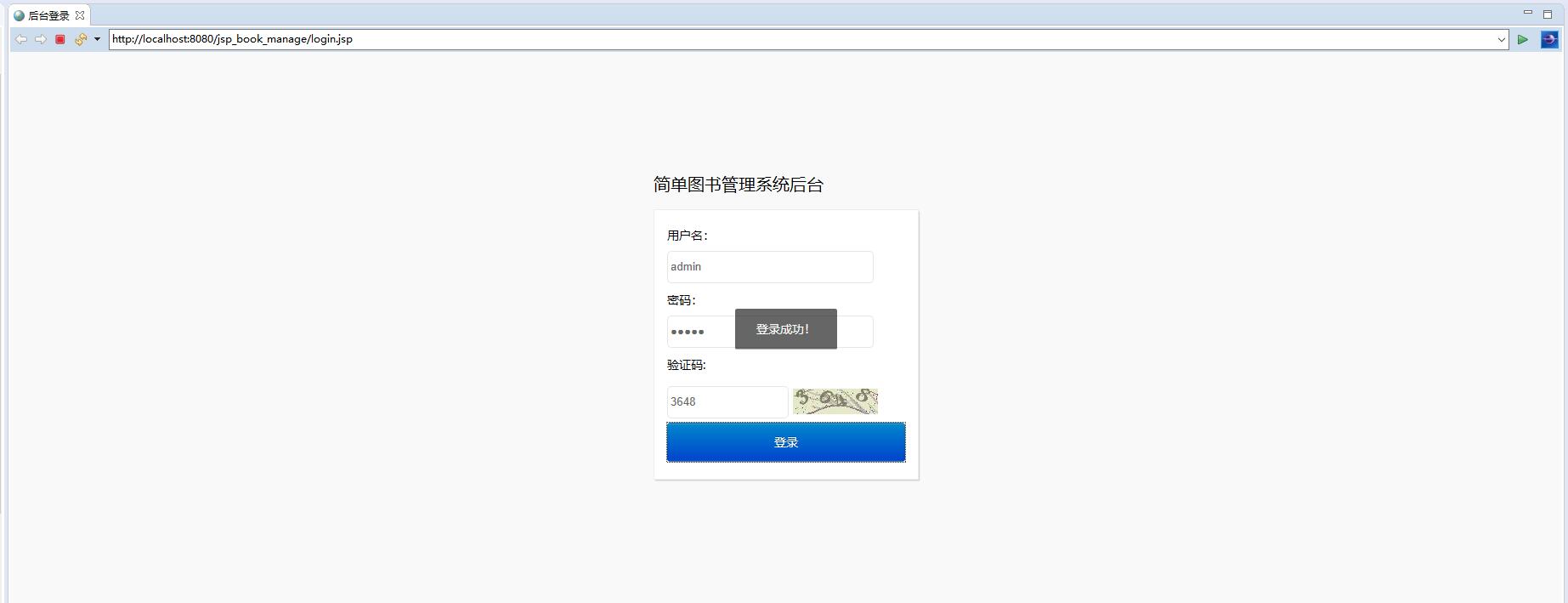
登录状态通过过滤器进行统一验证:
@WebFilter("/*")
public class AuthenticationFilter implements Filter {
    private static final String[] EXCLUDED_URLS = {"/login", "/css/", "/js/", "/images/"};

    @Override
    public void doFilter(ServletRequest request, ServletResponse response,
                        FilterChain chain) throws IOException, ServletException {
        HttpServletRequest httpRequest = (HttpServletRequest) request;
        HttpServletResponse httpResponse = (HttpServletResponse) response;

        String path = httpRequest.getRequestURI().substring(httpRequest.getContextPath().length());

        if (isExcludedUrl(path)) {
            chain.doFilter(request, response);
            return;
        }

        HttpSession session = httpRequest.getSession(false);
        if (session != null && session.getAttribute("admin") != null) {
            chain.doFilter(request, response);
        } else {
            httpResponse.sendRedirect(httpRequest.getContextPath() + "/login.jsp");
        }
    }

    private boolean isExcludedUrl(String url) {
        for (String excludedUrl : EXCLUDED_URLS) {
            if (url.startsWith(excludedUrl)) {
                return true;
            }
        }
        return false;
    }
}
实体模型设计
系统的JavaBean实体类严格遵循JavaBean规范,支持数据封装和业务逻辑分离:
public class Book implements Serializable {
    private int bookId;
    private String isbn;
    private String title;
    private String author;
    private String publisher;
    private Date publishDate;
    private String category;
    private int totalCopies;
    private int availableCopies;
    private String location;
    private Date createTime;
    private Date updateTime;

    // 无参构造函数
    public Book() {}

    // 带参构造函数
    public Book(String isbn, String title, String author, String publisher,
                Date publishDate, String category, int totalCopies, String location) {
        this.isbn = isbn;
        this.title = title;
        this.author = author;
        this.publisher = publisher;
        this.publishDate = publishDate;
        this.category = category;
        this.totalCopies = totalCopies;
        this.availableCopies = totalCopies;
        this.location = location;
    }

    // Getter和Setter方法
    public int getBookId() { return bookId; }
    public void setBookId(int bookId) { this.bookId = bookId; }

    public String getIsbn() { return isbn; }
    public void setIsbn(String isbn) { this.isbn = isbn; }

    // ... 其他Getter和Setter方法

    // 业务方法
    public boolean isAvailable() {
        return availableCopies > 0;
    }

    public double getBorrowRate() {
        if (totalCopies == 0) return 0;
        return (double) (totalCopies - availableCopies) / totalCopies;
    }
}
功能展望与优化方向
基于现有系统架构,未来可以从以下几个方向进行功能扩展和性能优化:
1. 分布式缓存集成 引入Redis等内存数据库缓存热点数据,如热门图书信息、频繁查询的借阅记录等。通过缓存层减轻数据库压力,提升系统响应速度。实现方案可在DAO层添加缓存注解,使用AOP技术实现透明的缓存读写。
2. 全文检索功能增强 集成Elasticsearch提供更强大的全文检索能力,支持模糊查询、同义词扩展、相关度排序等高级搜索特性。通过消息队列异步同步MySQL数据到Elasticsearch,确保搜索数据的实时性。
3. 微服务架构改造 将单体应用拆分为图书管理、借阅服务、用户管理等多个微服务。使用Spring Cloud框架实现服务注册发现、配置中心、API网关等功能,提升系统的可扩展性和可维护性。
4. 大数据分析平台 构建基于Hadoop或Spark的数据分析模块,对借阅行为、图书流行趋势、读者偏好等进行深度挖掘。通过可视化图表展示分析结果,为图书馆采购决策和资源配置提供数据支持。
5. 移动端应用开发 开发基于React Native或Flutter的移动端APP,提供扫码借书、电子借书证、移动支付罚款等功能。通过RESTful API与后端系统对接,实现全平台覆盖的服务体验。
智慧图书库管理系统通过严谨的架构设计和精细的功能实现,证明了传统JSP+Servlet技术栈在现代Web应用开发中仍具有强大的生命力。系统的模块化设计和清晰的代码结构为后续的功能扩展和技术升级奠定了坚实基础。